

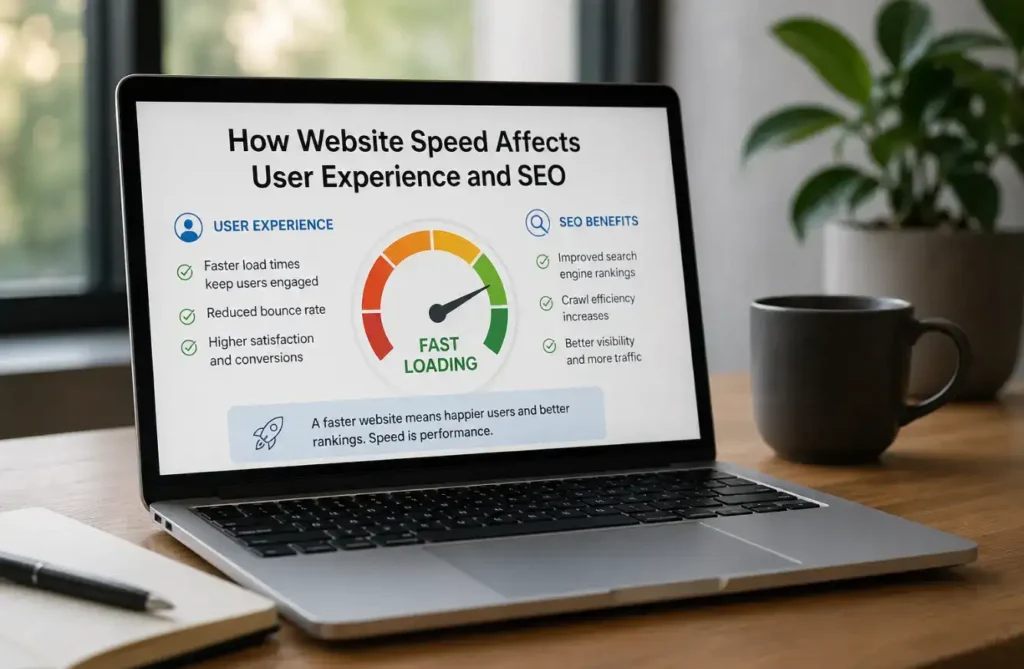
Why Website Speed Matters for SEO, User Experience, and Conversions
Website speed is more than a technical concern. It directly affects how visitors experience your website, how easily they can interact with your content, and whether they stay long enough to become customers.
A website may have excellent design, valuable content, and competitive products or services, but if pages are consistently slow, visitors can become frustrated before they have a chance to explore them.
Website performance can also influence search visibility and conversion opportunities. Google considers page experience and performance-related signals as part of its broader ranking systems, while users naturally prefer websites that respond quickly and smoothly.
For businesses, improving website speed can therefore support three important goals: creating a better user experience, maintaining a stronger technical SEO foundation, and making it easier for visitors to complete valuable actions.
What Is Website Speed?
Website speed generally refers to how quickly a webpage loads and becomes usable for visitors.
However, modern website performance is more complex than measuring the time until everything has completely downloaded.
A good user experience also considers questions such as:
- How quickly does important content appear?
- How soon can users interact with the page?
- Does the website respond quickly after a click?
- Do elements move unexpectedly while the page loads?
- Does the experience remain smooth on mobile devices?
This is why website performance optimization focuses on both loading speed and the overall responsiveness and stability of the page.
1. Website Speed Has a Major Impact on User Experience
Visitors expect websites to respond efficiently.
When someone clicks a link, opens a service page, views a product, or submits a form, they expect the website to react without unnecessary delays.
Slow websites create friction.
Visitors may experience:
- Blank screens while pages load
- Images appearing slowly
- Buttons that take too long to respond
- Delayed navigation
- Forms that feel unresponsive
- Content moving while they try to read it
Even small delays become frustrating when they occur repeatedly.
A fast website makes browsing feel natural and allows users to focus on your business instead of thinking about the technology behind it.
2. Faster Websites Create Better First Impressions
Your website may be a potential customer’s first interaction with your company.
Before they read your About page, review your services, or contact your team, they experience how the website performs.
A slow or unstable website can make an otherwise professional business appear poorly maintained.
A fast and responsive website, on the other hand, contributes to an impression of professionalism and attention to detail.
Website performance works alongside:
- Professional design
- Clear messaging
- Strong branding
- Easy navigation
- Quality content
- Mobile usability
All of these elements contribute to the customer’s overall perception of your business.
3. Website Speed Can Support SEO
Search engine optimization involves many factors, including content relevance, website structure, authority, usability, and technical quality.
Website performance is one part of this larger picture.
Google uses page-experience-related signals, including Core Web Vitals, to evaluate aspects of how users experience webpages.
This means performance optimization can support your overall SEO strategy.
A faster website can also make it easier for visitors arriving from organic search to engage with the content they discovered.
However, website speed should not be treated as a shortcut to higher rankings.
Improving speed alone does not guarantee a particular Google position. Content quality, relevance, backlinks, search intent, technical SEO, competition, and many other factors can influence rankings.
Speed optimization provides a stronger technical foundation rather than a ranking guarantee.
4. Core Web Vitals Help Measure Page Experience
Core Web Vitals are performance metrics designed to measure important aspects of the real-world user experience.
They focus on areas such as loading performance, responsiveness, and visual stability.
Important Core Web Vitals include:
Largest Contentful Paint (LCP)
LCP measures how quickly a major piece of visible content loads.
This could be a:
- Hero image
- Large heading
- Main content block
- Featured image
If the primary content takes too long to appear, visitors may perceive the entire page as slow.
Interaction to Next Paint (INP)
INP evaluates how responsive a page is when users interact with it.
For example, it can relate to what happens when a visitor:
- Clicks a button
- Opens a menu
- Selects an option
- Interacts with page controls
A responsive website should react to these interactions without noticeable delays.
Cumulative Layout Shift (CLS)
CLS measures unexpected movement of content while a page loads.
For example, a visitor may attempt to click a button only for an image or advertisement to load and suddenly move the button somewhere else.
This can create a frustrating experience.
Optimizing visual stability helps keep page elements where users expect them to be.
5. Website Speed Can Affect Conversion Opportunities
A conversion occurs when a visitor completes an action that is valuable to your business.
Depending on your website, conversions may include:
- Completing a contact form
- Requesting a quote
- Booking an appointment
- Calling your business
- Creating an account
- Purchasing a product
- Starting a trial
- Downloading a resource
Slow performance adds friction to these processes.
For example, imagine a potential customer trying to request a quote.
The service page loads slowly, the form takes time to appear, and the submission button does not respond immediately.
Even if the customer was originally interested, the experience may cause them to abandon the process.
Speed optimization cannot guarantee more conversions, but it can remove unnecessary technical barriers that may prevent interested visitors from completing important actions.
6. Speed Is Especially Important for E-commerce Websites
Performance is particularly important for online stores.
E-commerce customers may visit many pages during a single shopping session.
They may:
- Browse categories
- Search for products
- Apply filters
- Open product pages
- View images
- Select variations
- Add products to the cart
- Review the cart
- Complete checkout
If every step includes unnecessary delays, frustration can accumulate.
E-commerce performance problems can also affect critical functionality such as:
- Product search
- Shopping carts
- Checkout
- Payment processing
- Account dashboards
- Order information
A fast online store makes it easier for customers to move from product discovery to purchase.
7. Mobile Users Need Fast Websites
Mobile website performance deserves particular attention.
Mobile visitors may use different devices, processors, browsers, and network connections.
A website that feels fast on a powerful office computer connected to high-speed internet may perform very differently on a smartphone.
Mobile performance optimization should consider:
- Image sizes
- JavaScript
- Fonts
- Third-party scripts
- Responsive layouts
- Mobile menus
- Forms
- Animations
- Server response times
Testing should therefore include realistic mobile conditions rather than relying only on desktop performance.
8. Large Images Are a Common Cause of Slow Websites
Images are often among the largest resources on a webpage.
Businesses sometimes upload photographs directly from cameras or stock image providers without resizing or compressing them.
This can result in files that are much larger than necessary.
Image optimization can include:
- Resizing images to appropriate dimensions
- Compressing file sizes
- Selecting suitable image formats
- Using responsive images
- Lazy-loading appropriate images
- Avoiding unnecessary high-resolution files
For example, there is usually little benefit in loading an extremely large desktop-resolution photograph when it is displayed as a small thumbnail.
Image optimization can reduce page weight while maintaining appropriate visual quality.
9. Too Many Plugins Can Affect Website Performance
Content management systems such as WordPress make it easy to add functionality through plugins.
Plugins can be extremely useful, but adding too many unnecessary or poorly optimized plugins may affect website performance.
Plugins can introduce:
- Additional CSS
- JavaScript
- Database queries
- External requests
- Background processes
- Additional server work
The number of plugins alone does not determine whether a website will be slow.
A website with several well-developed plugins may perform better than one using only a few poorly optimized ones.
The important question is whether each plugin is necessary, maintained, and performing efficiently.
Regular plugin reviews can help identify functionality that is no longer required.
10. JavaScript Can Affect Page Responsiveness
JavaScript powers many interactive website features.
It may control:
- Menus
- Sliders
- Forms
- Popups
- Animations
- Product filters
- Tracking tools
- Chat widgets
- Interactive applications
However, excessive or poorly optimized JavaScript can delay loading and make pages less responsive.
Performance optimization may involve:
- Removing unnecessary scripts
- Reducing unused JavaScript
- Loading scripts more efficiently
- Delaying non-essential functionality
- Reviewing third-party scripts
- Simplifying excessive animations
JavaScript should be used where it adds genuine functionality or improves the user experience.
11. Third-Party Scripts Can Slow Down Your Website
Many websites depend on third-party services.
Examples include:
- Analytics
- Advertising platforms
- Live chat
- Social media widgets
- Video embeds
- Review widgets
- Tracking scripts
- Scheduling tools
Each external service may require the browser to connect to another server and download additional resources.
One integration may have little impact, but multiple third-party tools can add significant overhead.
Businesses should periodically review third-party scripts and ask:
- Is this tool still necessary?
- Does anyone use this feature?
- Is there a lighter alternative?
- Can it load later?
- Is the business value worth the performance cost?
Removing unused third-party resources can sometimes provide meaningful performance improvements.
12. Good Hosting Supports Website Performance
Website optimization is not limited to the website itself.
Hosting infrastructure can also influence performance.
Factors may include:
- Server resources
- Server configuration
- Data center location
- Traffic capacity
- Caching technology
- Database performance
- Software configuration
A highly optimized website can still experience performance problems if the server cannot process requests efficiently.
The appropriate hosting solution depends on the website.
A small informational website and a high-traffic e-commerce platform may have very different hosting requirements.
13. Caching Can Make Websites Faster
Caching reduces the need to repeatedly generate or download the same information.
Different types of caching may include:
- Browser caching
- Page caching
- Object caching
- Database caching
- Server caching
When configured correctly, caching can reduce server workload and improve response times.
However, caching needs careful configuration for websites containing dynamic information.
For example, customer account information, shopping carts, personalized dashboards, and frequently updated content may require different caching rules from static pages.
14. A Content Delivery Network Can Improve Resource Delivery
A Content Delivery Network, commonly known as a CDN, distributes website resources across multiple servers or locations.
When appropriate, a CDN can deliver certain resources from infrastructure closer to the visitor or otherwise optimize content delivery.
CDNs can be particularly useful for websites serving visitors across multiple geographic regions.
They may help deliver:
- Images
- CSS
- JavaScript
- Fonts
- Videos
- Other static files
A CDN is not automatically a solution to every performance problem.
Poorly optimized images, inefficient code, excessive scripts, or slow database queries should still be addressed directly.
15. Database Optimization Can Improve Dynamic Websites
Database-driven websites frequently retrieve information before generating a page.
Examples include:
- WordPress websites
- E-commerce stores
- Membership websites
- Booking systems
- Customer portals
- Web applications
Over time, databases may accumulate unnecessary records or inefficient queries.
Backend optimization can include:
- Reviewing slow queries
- Appropriate indexing
- Removing unnecessary data
- Optimizing database structure
- Reducing repeated queries
- Using caching where appropriate
Database changes should be performed carefully and backed up beforehand.
16. Fonts Can Affect Loading Performance
Typography is an important part of website design, but loading too many fonts can create unnecessary overhead.
A website may use multiple:
- Font families
- Font weights
- Font styles
- Icon fonts
Each variation may require additional resources.
Performance-conscious design can limit fonts to those genuinely required by the brand and interface.
Font loading can also be configured carefully to reduce delays and unexpected layout changes.
17. Excessive Animations Can Hurt Performance
Animations can make a website feel modern and interactive when used carefully.
However, excessive effects may increase processing requirements and distract visitors.
Common examples include:
- Large background animations
- Multiple sliders
- Parallax effects
- Scroll animations
- Animated counters
- Video backgrounds
- Constantly moving decorative elements
The goal should not be to eliminate all animation.
Instead, animations should serve a clear purpose.
If an effect adds little value while increasing loading time or making the interface less responsive, removing it may improve the overall experience.
18. Website Speed and Accessibility Can Work Together
Performance improvements can also benefit users who rely on slower devices or internet connections.
A lightweight, efficiently developed website is generally easier to access across a wider range of circumstances.
Reducing unnecessary resources can make content available more quickly and reliably.
Good website development should therefore consider performance alongside:
- Accessibility
- Responsive design
- Usability
- Content clarity
- Browser compatibility
These elements work together to create a stronger overall user experience.
How to Check Your Website Speed
Businesses can use performance testing tools to identify potential website issues.
Common tools include:
- Google PageSpeed Insights
- Chrome Lighthouse
- Chrome DevTools
- WebPageTest
These tools can provide information about loading behavior and potential opportunities for improvement.
However, performance scores should be interpreted carefully.
A single score does not tell the entire story.
Testing should consider:
- Real user experience
- Mobile performance
- Desktop performance
- Important landing pages
- Conversion pages
- Server performance
- Core Web Vitals
The goal is not simply to achieve a perfect score.
The goal is to create a website that feels fast, stable, and responsive for actual visitors.
What Is a Good Website Speed?
There is no single loading-time number that defines a successful website in every situation.
Different websites have different content, functionality, audiences, and technical requirements.
A simple business landing page should generally be much lighter than a complex web application.
Instead of focusing exclusively on one number, evaluate whether:
- Important content appears quickly
- Users can interact without noticeable delays
- Pages remain visually stable
- Mobile performance is acceptable
- Server responses are efficient
- Critical customer journeys work smoothly
Performance optimization should prioritize improvements that visitors can actually experience.
Common Website Speed Optimization Mistakes
Businesses sometimes try to improve performance by installing one optimization plugin and expecting every problem to disappear.
Website performance is usually more complex.
Common mistakes include:
- Installing multiple caching plugins
- Compressing images without resizing them
- Removing necessary scripts
- Ignoring mobile performance
- Using too many optimization tools
- Focusing only on a performance score
- Ignoring server problems
- Ignoring database performance
- Keeping unnecessary third-party scripts
- Using excessive animations
- Making changes without backups
- Failing to test important functionality afterward
Performance optimization should be systematic.
Identify the actual bottleneck before choosing the solution.
Should You Optimize or Redesign a Slow Website?
Not every slow website needs a complete redesign.
If the website has a strong technical foundation, performance problems may be resolved through optimization.
This could include:
- Image optimization
- Caching
- Plugin cleanup
- Database optimization
- Script optimization
- Hosting improvements
However, redesigning or rebuilding may be worth considering when the website relies on:
- Outdated technology
- Poorly structured code
- Excessive plugins
- Heavy page templates
- Years of temporary fixes
- Unnecessary functionality
- An inefficient underlying architecture
A technical performance audit can help determine whether optimization or a larger rebuild is the more appropriate approach.
Website Speed Optimization Is an Ongoing Process
A website can be fast when it launches and gradually become slower.
New content and functionality may introduce:
- Larger images
- New plugins
- Marketing scripts
- Tracking tools
- Videos
- Integrations
- Additional database information
Performance should therefore be monitored as the website evolves.
Regular website maintenance can include reviewing speed and identifying new issues before they significantly affect visitors.
Why Professional Website Speed Optimization Matters
Professional speed optimization begins with understanding what is actually causing a website to perform poorly.
Instead of applying random fixes, a developer can investigate areas such as:
- Frontend resources
- Images
- JavaScript
- CSS
- Fonts
- Plugins
- Database queries
- Caching
- Server performance
- Third-party scripts
- Hosting configuration
The appropriate solution will depend on the website.
A WordPress business website, WooCommerce store, custom application, and simple landing page may each require a different optimization strategy.
Build a Faster Website That Supports Business Growth
Website speed affects far more than how quickly a page appears.
It influences how visitors experience your business, how easily they navigate your website, and how smoothly they can complete important actions.
A faster website can support better usability, stronger technical SEO, improved mobile experiences, smoother e-commerce journeys, and more effective conversion paths.
Performance optimization should therefore be considered an important part of professional website development and ongoing maintenance.
The objective is not simply to chase a perfect performance score.
It is to create a fast, stable, responsive website that allows visitors to focus on your products, services, and content without unnecessary technical friction.
By combining optimized images, efficient development, appropriate caching, reliable hosting, database optimization, careful use of third-party tools, and ongoing monitoring, businesses can build websites that provide a stronger experience for both visitors and search engines.
Frequently Asked Questions
Why is website speed important?
Website speed affects user experience, mobile usability, page responsiveness, and conversion journeys. Performance also contributes to the overall technical quality and page experience of a website.
Does website speed affect Google rankings?
Performance and page-experience signals can contribute to Google’s broader ranking systems, but speed is only one part of SEO. Improving speed does not guarantee higher rankings.
What usually makes a website slow?
Common causes include large images, excessive JavaScript, unnecessary plugins, third-party scripts, poor caching, inefficient database queries, heavy animations, and inadequate hosting.
How can I test my website speed?
Tools such as Google PageSpeed Insights, Lighthouse, Chrome DevTools, and WebPageTest can help identify performance issues. Real-world user experience should also be considered alongside testing scores.
Can WordPress websites be fast?
Yes. WordPress websites can perform well when themes, plugins, images, hosting, caching, databases, and other resources are properly managed and optimized.
Will a faster website increase conversions?
Faster performance can reduce friction and make it easier for visitors to browse, complete forms, shop, or take other actions. However, conversion performance also depends on factors such as the offer, design, content, audience, pricing, and user journey.
How often should website speed be checked?
Performance should be reviewed regularly and after significant changes such as installing plugins, adding third-party scripts, redesigning pages, changing hosting, or introducing new functionality.
