

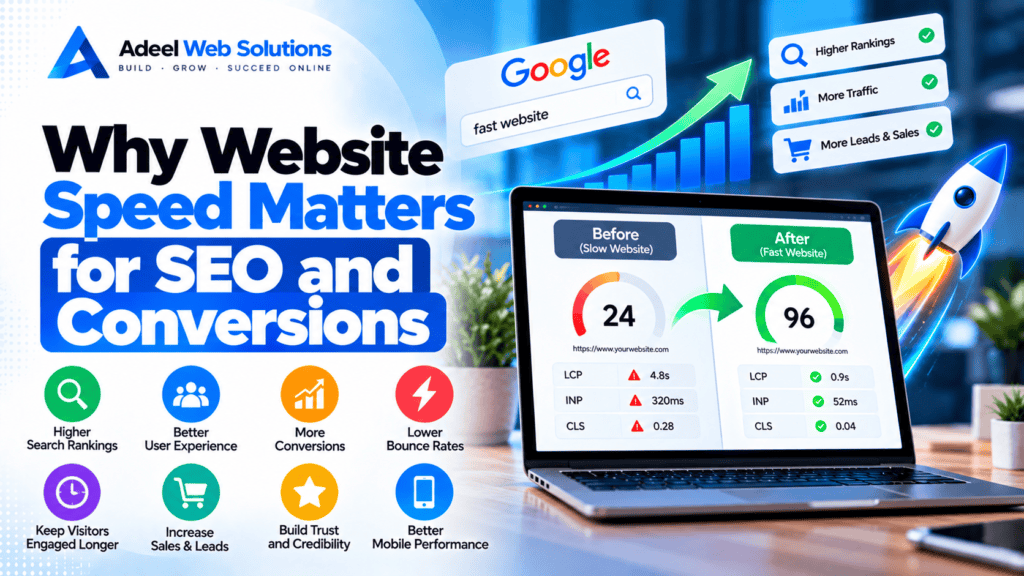
Why Website Speed Matters for SEO and Conversions
Website speed is one of the most important elements of a strong online experience. Visitors expect websites to load quickly, respond smoothly, and make it easy to find information or complete an action.
When a website is slow, the impact can extend beyond simple frustration. Poor performance can affect how visitors interact with your pages, whether they continue browsing, and whether they complete important actions such as submitting a contact form, booking an appointment, requesting a quote, or making a purchase.
Website performance also plays a role in search engine optimization. Google considers page experience signals, including Core Web Vitals, as part of its broader search systems. However, speed should not be treated as a shortcut to higher rankings. Successful SEO still depends heavily on useful content, relevance, crawlability, authority, and satisfying search intent.
The strongest reason to improve website speed is therefore not simply to increase a performance score. It is to create a better experience for both search visitors and potential customers.
In this guide, we’ll explain why website speed matters for SEO and conversions, how performance affects the customer journey, and what businesses can do to improve slow websites.
What Is Website Speed?
Website speed describes how quickly a webpage loads and becomes useful to visitors.
It involves more than measuring the time until every resource has finished downloading.
A fast website should:
- Display important content quickly
- Respond promptly to interactions
- Remain visually stable
- Navigate smoothly between pages
- Work efficiently on mobile devices
This is why modern performance analysis includes metrics such as Core Web Vitals rather than relying on a single “page load time” measurement.
Why Website Speed Matters
Imagine searching for a local service and opening two websites.
The first takes several seconds before meaningful information becomes visible.
The second quickly displays:
- The company’s services
- Contact information
- A clear headline
- A phone number
- A request-a-quote button
Which website feels easier to use?
Customers usually want information quickly. They don’t want to wait for oversized images, complicated animations, unnecessary scripts, or slow servers.
Website speed removes friction from that experience.
How Website Speed Affects SEO
Search engines want to provide useful results that satisfy users.
Website performance can contribute to the overall page experience, but it should be understood within the broader SEO picture.
Important SEO factors include:
- Relevant content
- Search intent
- Content quality
- Website structure
- Internal linking
- Crawlability
- Mobile usability
- Backlinks and authority
- Technical SEO
- Page experience
Website speed supports these efforts rather than replacing them.
A fast website with poor or irrelevant content will not automatically perform well in search results.
Similarly, valuable content should not be delivered through an unnecessarily slow and frustrating website.
Website Speed and Core Web Vitals
Core Web Vitals are metrics designed to evaluate important aspects of the real-world website experience.
The three current Core Web Vitals are:
Largest Contentful Paint (LCP)
LCP measures loading performance.
It looks at how quickly the main visible content is rendered.
A good LCP is generally 2.5 seconds or less.
Common causes of poor LCP include:
- Oversized hero images
- Slow servers
- Render-blocking resources
- Poor caching
- Slow fonts
Interaction to Next Paint (INP)
INP measures responsiveness.
It evaluates how quickly a webpage provides visual feedback after user interactions.
A good INP is generally 200 milliseconds or less.
Poor INP can be associated with:
- Heavy JavaScript
- Complex page structures
- Third-party scripts
- Resource-intensive plugins
- Long browser tasks
Cumulative Layout Shift (CLS)
CLS measures visual stability.
A good CLS is generally 0.1 or less.
Poor CLS may occur when:
- Images load without reserved space
- Advertisements appear unexpectedly
- Fonts cause content to move
- Dynamic banners change the layout
- Third-party widgets shift content
Together, these metrics provide a more useful picture of performance than simply asking whether a page “loads fast.”
Website Speed and Search Crawling
Search engines use automated crawlers to discover and process webpages.
For very large websites, inefficient server performance and technical problems can make crawling more resource-intensive.
This is particularly relevant for websites containing:
- Thousands of products
- Large content archives
- Complex filtering systems
- Many dynamically generated URLs
Improving server efficiency, website architecture, internal linking, and technical SEO can help create a more crawlable website.
For a small business website, however, improving speed should primarily focus on providing a better user experience rather than trying to manipulate crawl behavior.
Website Speed and Mobile SEO
Mobile performance is particularly important because many visitors access websites using smartphones.
Mobile users may have:
- Slower connections
- Less powerful processors
- Less memory
- Smaller screens
- Less stable networks
A website that performs well on a powerful office computer may provide a very different experience on a mid-range smartphone.
Mobile optimization should therefore include:
- Smaller images
- Responsive layouts
- Efficient JavaScript
- Simple navigation
- Optimized fonts
- Lightweight page structures
Testing real mobile experiences is an important part of both SEO and conversion optimization.
How Website Speed Affects Conversions
A conversion happens when a visitor completes an action that matters to your business.
Depending on the website, conversions may include:
- Purchasing a product
- Submitting a contact form
- Requesting a quote
- Booking an appointment
- Calling your business
- Creating an account
- Registering for an event
- Downloading a resource
- Joining an email list
A slow website creates additional friction between the visitor and these actions.
The easier and faster the customer journey feels, the fewer unnecessary obstacles visitors encounter.
Slow Websites Can Increase Abandonment
Visitors don’t always wait for a slow website.
If a page takes too long to become useful, some people will leave and try another result.
This can be particularly important in competitive industries such as:
- Plumbing
- Roofing
- Healthcare
- Real estate
- Legal services
- Home services
- E-commerce
- Restaurants
A customer searching for an immediate solution may have several competing websites available.
If your website is difficult to access, a competitor is only another click away.
Speed Affects First Impressions
Website performance becomes part of the customer’s first impression of your business.
A visitor may not know whether your website uses WordPress, Elementor, WooCommerce, or a custom platform.
They simply experience the result.
A fast and responsive website can feel polished and convenient.
A slow website may feel:
- Outdated
- Frustrating
- Difficult to use
- Less reliable
Good performance allows your design, branding, content, and services to make the first impression rather than a loading screen.
Website Speed Can Affect Lead Generation
Consider a visitor who wants to request a quote.
They open your homepage, read about your services, and click Request a Quote.
The next page takes too long to load.
Then the form loads slowly.
After they click submit, there is another delay.
Every additional delay introduces friction.
A lead-generation website should make the journey from visitor to enquiry as simple as possible.
Pay particular attention to the performance of:
- Contact pages
- Quote forms
- Booking pages
- Landing pages
- Call-to-action buttons
These pages directly support business goals.
Website Speed Matters for E-Commerce
Performance becomes even more important when customers are shopping online.
An e-commerce journey may involve:
Homepage → Category → Product → Cart → Checkout → Payment
A customer may visit several product pages before making a decision.
If every page feels slow, browsing becomes frustrating.
Important e-commerce performance areas include:
- Product images
- Product galleries
- Search
- Filters
- Product variations
- Add-to-cart functionality
- Shopping cart
- Shipping calculations
- Checkout
- Payment processing
A fast homepage is not enough if the cart and checkout are difficult to use.
Slow Checkout Can Cost Sales
Checkout is one of the most sensitive parts of the customer journey.
The visitor has already selected a product and demonstrated purchase intent.
At this stage, technical problems can be especially damaging.
Potential issues include:
- Slow cart updates
- Delayed checkout loading
- Payment gateway delays
- Unresponsive buttons
- Shipping calculation problems
- JavaScript errors
Performance optimization should never break checkout functionality simply to improve a testing score.
Reliability and speed need to work together.
Website Speed Affects Paid Advertising
Businesses often pay to attract visitors through advertising.
This may include:
- Google Ads
- Social media advertising
- Display campaigns
- Sponsored content
If someone clicks an advertisement and reaches a slow landing page, part of that advertising opportunity may be wasted.
Landing pages should load quickly and clearly communicate:
- What is being offered
- Why it matters
- What the visitor should do next
Optimizing landing-page speed can support the effectiveness of your broader advertising strategy.
Website Speed and Local Businesses
Speed is particularly valuable for local service websites.
A customer may be searching for:
- A plumber
- An electrician
- A roofing company
- A medical practice
- A real estate professional
- A mechanic
- A home repair company
They often want immediate information.
Your website should make it easy to quickly find:
- Phone number
- Services
- Service areas
- Opening hours
- Address
- Booking information
- Contact forms
Performance should support these actions rather than delaying them.
What Makes Websites Slow?
Several factors can contribute to poor performance.
Common causes include:
- Slow hosting
- Oversized images
- Too many unnecessary plugins
- Heavy WordPress themes
- Poorly structured page-builder layouts
- No caching
- Excessive JavaScript
- Unused CSS
- Third-party scripts
- Large video embeds
- Too many fonts
- Sliders
- Animations
- Database problems
- Redirect chains
Most slow websites have a combination of issues rather than one single problem.
How to Improve Website Speed
The best optimization strategy starts with testing.
Use tools such as Google PageSpeed Insights and browser development tools to identify bottlenecks.
Then prioritize improvements based on impact.
Optimize Images
Resize and compress images before uploading them.
Consider modern formats such as:
- WebP
- AVIF
Use responsive images and lazy-load below-the-fold images where appropriate.
Improve Hosting
If server response is consistently poor, review your hosting environment.
Look at:
- CPU
- Memory
- Storage
- Server configuration
- Database performance
- Traffic capacity
Configure Caching
Caching can reduce repeated server processing and unnecessary downloads.
Consider:
- Page caching
- Browser caching
- Object caching where appropriate
- CDN caching
Reduce JavaScript
Remove unnecessary scripts and review whether non-critical JavaScript can be deferred or delayed.
Reduce Unused CSS
Themes, plugins, and page builders can load styles that individual pages don’t need.
Reducing unnecessary CSS can make pages lighter.
Optimize Fonts
Limit the number of font families and weights.
Review Third-Party Services
Audit:
- Analytics
- Live chat
- Advertising pixels
- Review widgets
- Maps
- Social feeds
- Booking systems
Keep tools that provide business value and remove those that no longer serve a purpose.
WordPress Speed and SEO
WordPress can provide excellent performance when it is properly configured.
Common WordPress optimization opportunities include:
- Better hosting
- Page caching
- Image optimization
- Plugin cleanup
- Database maintenance
- Theme optimization
- JavaScript optimization
- CDN configuration
Avoid installing multiple optimization plugins that perform the same functions.
More plugins do not automatically mean better performance.
Elementor Speed Optimization
Elementor can be used to create professional, high-performing websites when pages are built efficiently.
Review:
- Nested containers
- Empty widgets
- Large background images
- Elementor add-ons
- Sliders
- Animations
- DOM size
- Mobile layouts
Avoid making a page unnecessarily complicated when a simpler structure can produce the same design.
Should You Aim for a 100/100 PageSpeed Score?
A perfect score is not necessary for every business website.
Performance testing tools are diagnostic tools.
A real website may require:
- Contact forms
- Analytics
- Booking software
- Maps
- Payment gateways
- CRM systems
- Videos
- Reviews
- Advertising tracking
These features may introduce some performance overhead while still providing important business functionality.
Instead of chasing a perfect score, aim for a practical balance between:
Speed + SEO + User Experience + Functionality + Conversions
The website should perform well without sacrificing features customers genuinely need.
Website Speed, SEO and Conversion Checklist
Use this checklist when reviewing your website:
- Test your important pages
- Review mobile and desktop performance
- Check Core Web Vitals
- Identify your LCP element
- Optimize hero images
- Compress website images
- Use responsive images
- Lazy-load non-critical images
- Review hosting performance
- Configure page caching
- Configure browser caching
- Consider a CDN
- Reduce unused CSS
- Reduce unnecessary JavaScript
- Audit third-party scripts
- Optimize fonts
- Reduce heavy sliders
- Optimize video embeds
- Review WordPress plugins
- Simplify Elementor layouts
- Test forms
- Test mobile navigation
- Test product pages
- Test cart and checkout
- Monitor performance regularly
Don’t Optimize Only the Homepage
One common mistake is focusing entirely on the homepage.
Customers may enter your website through:
- Blog posts
- Service pages
- Product pages
- Landing pages
- Location pages
A website can have an extremely fast homepage while its most important conversion pages remain slow.
Identify which pages generate traffic, leads, and sales and prioritize those pages.
Measure Business Results Alongside Speed
Performance metrics are valuable, but businesses should also evaluate what happens after optimization.
Depending on your website, monitor:
- Engagement
- Form submissions
- Calls
- Bookings
- Product purchases
- Checkout completion
- Landing-page performance
This helps connect technical improvements with real business outcomes.
Final Thoughts
Website speed matters because it sits at the intersection of SEO, user experience, and conversions.
For SEO, strong performance contributes to a better page experience and supports the technical quality of your website.
For customers, speed removes unnecessary friction from browsing, contacting your business, or purchasing products.
For conversions, faster and more responsive pages make it easier for visitors to complete the actions your website was built to generate.
The best strategy is not to chase a perfect performance score.
Instead, build and maintain a website that loads quickly, responds smoothly, works well on mobile devices, provides useful content, and makes important actions easy to complete.
Start by testing your website, identifying the largest performance problems, and addressing them systematically.
Over time, regular monitoring and maintenance can help keep your website fast as your content, traffic, and business grow.
Is Your Slow Website Affecting SEO and Conversions?
If your website loads slowly, performs poorly on mobile devices, or has Core Web Vitals and PageSpeed issues, professional optimization can help identify what is causing the problem.
At Adeel Web Solutions, we help businesses improve website speed, WordPress performance, Core Web Vitals, image optimization, Elementor performance, responsive design, and overall website efficiency.
Whether your website needs targeted performance improvements, WordPress cleanup, image optimization, caching configuration, Elementor optimization, or a complete performance-focused redesign, we can help identify the bottlenecks and implement practical solutions.
Contact Adeel Web Solutions today to improve your website speed and create a better experience for both search visitors and potential customers.
