

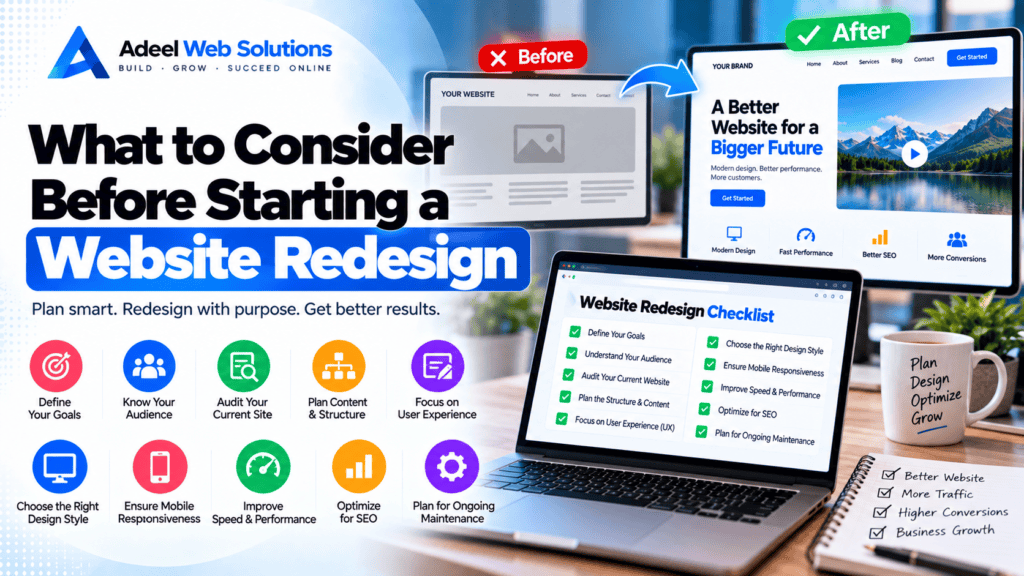
What to Consider Before Starting a Website Redesign
A website redesign can give your business a more modern appearance, improve the customer experience, strengthen your brand, and make your website easier to manage. However, redesigning a website involves much more than changing colors, fonts, and images.
Your existing website may already contain valuable content, search engine rankings, backlinks, forms, analytics tracking, customer journeys, integrations, and pages that generate leads or sales. Making major changes without understanding these elements can create unnecessary problems.
Before beginning a redesign, businesses should understand why the website needs to change, what should be preserved, what should be improved, and how success will be measured after launch.
In this guide, we’ll explain what to consider before starting a website redesign and how careful planning can help create a website that is not only more attractive but also more useful, faster, easier to navigate, and better aligned with your business goals.
What Is a Website Redesign?
A website redesign is the process of significantly updating a website’s design, structure, functionality, content, or technology.
A redesign may involve:
- Updating the visual design
- Improving navigation
- Restructuring pages
- Rewriting content
- Improving mobile responsiveness
- Updating calls-to-action
- Improving website speed
- Changing WordPress themes
- Rebuilding Elementor layouts
- Adding new functionality
- Improving accessibility
- Updating forms
- Improving SEO structure
- Changing URLs
- Migrating hosting or platforms
Some redesigns are primarily visual.
Others involve rebuilding most of the website.
Understanding the scope before work begins helps prevent unnecessary changes and unexpected problems.
1. Understand Why You Need a Redesign
The first question should be:
Why are we redesigning the website?
“Because it looks old” may be part of the answer, but it is usually not enough to guide an entire project.
Common reasons for redesigning include:
- Outdated appearance
- Poor mobile experience
- Difficult navigation
- Slow loading
- Low lead generation
- Poor conversion rates
- Outdated content
- Business rebranding
- New products or services
- Difficult website management
- Technical problems
- Poor SEO structure
- Accessibility concerns
Create a clear list of problems before deciding on solutions.
This helps ensure the redesign addresses genuine business needs rather than simply replacing one design with another.
2. Define Your Website Goals
Every website should have a purpose.
For one business, the primary goal may be generating quote requests.
For another, it may be:
- Selling products
- Booking appointments
- Generating phone calls
- Collecting leads
- Building credibility
- Educating customers
- Increasing newsletter registrations
- Promoting physical locations
Your redesign should prioritize these goals.
For example, if phone calls are important, your phone number should be easy to find, especially on mobile devices.
If appointment bookings are the priority, visitors should not have to navigate through several pages before finding the booking option.
Design should support business objectives.
3. Identify Your Target Audience
Before redesigning your website, understand who will use it.
Consider:
- Who are your customers?
- What problems are they trying to solve?
- What information do they need?
- Which devices do they use?
- What questions do they commonly ask?
- What actions should they take?
A website designed primarily for business executives may require a different experience from one targeting homeowners, medical patients, students, or online shoppers.
Your audience should influence:
- Content
- Navigation
- Typography
- Calls-to-action
- Images
- Forms
- Page structure
- Mobile experience
A redesign should make the website easier for your customers—not only more attractive to the business owner.
4. Audit Your Existing Website
Don’t delete your existing website before understanding what is already working.
Perform a complete website audit.
Review:
- Pages
- Blog posts
- Landing pages
- Forms
- Navigation
- Images
- Videos
- Downloads
- Integrations
- Plugins
- SEO metadata
- Redirects
- Analytics
- Search performance
Identify which content should be:
- Kept
- Updated
- Combined
- Rewritten
- Redirected
- Removed
This creates a much stronger foundation for the redesign.
5. Review Your Current Analytics
Website analytics can reveal how visitors actually use your website.
Before changing the structure, review available data such as:
- Popular pages
- Landing pages
- Traffic sources
- Device usage
- Conversion pages
- User journeys
- Form submissions
- E-commerce activity
This can help identify pages that deserve special attention.
For example, an old-looking service page may still generate a significant portion of your enquiries. Removing or radically changing it without understanding its value could be a mistake.
Use data to inform redesign decisions whenever possible.
6. Protect Your Existing SEO
SEO should be considered before development begins—not after the new website launches.
Your current website may already have pages ranking for valuable search terms.
A redesign can affect SEO when:
- URLs change
- Content is removed
- Internal links change
- Metadata disappears
- Headings change
- Pages become inaccessible
- Redirects are missing
- Important content is shortened
- Technical settings change
Create a list of important existing URLs before redesigning the site.
Preserve high-value URLs whenever practical.
If a URL must change, implement an appropriate permanent redirect from the old URL to the most relevant new page.
7. Create a URL Redirect Plan
Redirect planning is particularly important when changing website structure.
Suppose your existing page is:
/website-design-services/
and the redesigned site changes it to:
/services/web-design/
The old URL should not simply disappear.
An appropriate 301 redirect can send visitors and search engines from the old page to the relevant new destination.
Create a mapping document containing:
Old URL → New URL
Avoid redirecting every deleted page to the homepage.
Redirect each old URL to the closest relevant replacement whenever one exists.
8. Review Your Website Structure
A redesign is an opportunity to simplify your information architecture.
Ask whether visitors can easily find:
- Services
- Products
- Pricing
- About information
- Contact details
- Locations
- FAQs
- Booking information
Navigation should reflect what customers need rather than the internal structure of your company.
Avoid creating unnecessary layers of menus.
A simple structure such as:
Home → Services → Individual Service
is often easier to understand than complicated multi-level navigation.
9. Plan Your Content Before Designing
One of the most common redesign mistakes is creating layouts first and trying to force content into them later.
Content and design should work together.
Before finalizing layouts, identify:
- Page headings
- Service descriptions
- Benefits
- Calls-to-action
- FAQs
- Testimonials
- Images
- Contact information
Knowing approximately how much content each page requires helps designers create appropriate layouts.
A design built around placeholder text may not work when real content is inserted.
10. Decide What Content Should Be Updated
A redesign is a good opportunity to improve outdated content.
Review information such as:
- Services
- Pricing
- Team members
- Phone numbers
- Email addresses
- Locations
- Business hours
- Policies
- Testimonials
- Certifications
- Company descriptions
Remove old information and rewrite content that no longer represents the business accurately.
This is also an opportunity to improve:
- Readability
- Headings
- Calls-to-action
- Internal links
- FAQs
Don’t automatically transfer every sentence from the old website simply because it already exists.
11. Strengthen Your Calls-to-Action
Every important page should help visitors understand what to do next.
Calls-to-action may include:
- Request a Quote
- Book an Appointment
- Contact Us
- Call Now
- Schedule a Consultation
- Shop Now
- Get Started
- View Services
During the redesign, review where CTAs appear and whether they are relevant to the page.
Avoid overwhelming visitors with too many competing actions.
Prioritize the actions that directly support your business goals.
12. Plan for Mobile Users First
Responsive design should be part of the redesign from the beginning.
Don’t create a complicated desktop website and treat mobile optimization as a final adjustment.
Consider mobile behavior when planning:
- Navigation
- Headings
- Buttons
- Forms
- Images
- Tables
- Popups
- Sticky elements
- Calls-to-action
Mobile visitors should be able to easily:
- Read content
- Tap buttons
- Open menus
- Submit forms
- Call your business
- Complete purchases
Test the finished redesign on actual smartphones whenever possible.
13. Consider Website Speed Early
Performance should be part of design decisions from the beginning.
A visually impressive design can become unnecessarily slow if it relies heavily on:
- Huge images
- Background videos
- Multiple sliders
- Excessive animation
- Large font libraries
- Third-party scripts
- Complicated page-builder layouts
Performance-friendly design decisions can reduce the amount of optimization required later.
Aim for a website that is visually strong without becoming technically excessive.
14. Consider Core Web Vitals
Core Web Vitals measure important parts of the user experience.
They include:
- Largest Contentful Paint (LCP) – loading performance
- Interaction to Next Paint (INP) – responsiveness
- Cumulative Layout Shift (CLS) – visual stability
A redesign is an excellent opportunity to improve these metrics.
For example:
- Optimize hero images for LCP.
- Reduce heavy JavaScript for INP.
- Reserve space for images and dynamic content to improve CLS.
Don’t wait until after launch to think about performance.
15. Review Your Hosting
A new website may have different hosting requirements from the old one.
Consider:
- Expected traffic
- WordPress requirements
- E-commerce functionality
- Storage
- CPU
- Memory
- Backups
- Security
- Server location
- CDN support
- Caching
If the existing website suffers from slow server performance, redesigning the front end alone may not solve the underlying problem.
16. Decide Which Technology to Use
A redesign is an opportunity to review your technology stack.
You may need to decide between:
- WordPress
- WooCommerce
- Shopify
- Custom development
- Another CMS or platform
The right choice depends on your requirements.
Consider:
- Content management
- E-commerce
- Scalability
- Integrations
- Maintenance
- Budget
- Team skills
- Future development
Avoid switching platforms simply because another platform appears newer.
Migration introduces additional complexity and should have a clear business reason.
17. Review WordPress Plugins
If you are redesigning a WordPress website, review existing plugins.
Some may be:
- Outdated
- Unnecessary
- Duplicated
- Abandoned
- Replaced by newer functionality
Create a list of essential features before rebuilding.
Examples include:
- Forms
- SEO
- Security
- Caching
- Backups
- E-commerce
- Booking
- Membership functionality
Install plugins based on requirements rather than automatically copying every plugin from the old site.
18. Plan Forms and Lead Generation
Forms are critical for many business websites.
During the redesign, review:
- Contact forms
- Quote forms
- Appointment forms
- Newsletter forms
- Application forms
Ask whether every field is necessary.
A simple contact form may require only:
- Name
- Phone
- Service
- Message
Also determine where submissions are stored and who receives notifications.
After launch, test every form.
Don’t assume a form works because it appears correctly on the page.
19. Review Integrations
Modern websites often connect with external systems.
Examples include:
- CRM platforms
- Email marketing systems
- Payment gateways
- Booking software
- Analytics
- Advertising platforms
- Live chat
- Review systems
- Social media
- Maps
Document these integrations before rebuilding.
Otherwise, an important integration can easily be forgotten during migration.
20. Plan Analytics and Conversion Tracking
A redesign should not cause you to lose visibility into website performance.
Document your current analytics and tracking setup.
This may include:
- Analytics
- Search Console
- Advertising conversion tracking
- Form tracking
- Phone tracking
- E-commerce tracking
After launch, verify that tracking is working correctly.
This allows you to compare performance before and after the redesign.
21. Consider Accessibility
Accessibility should be considered throughout the design process.
Review:
- Text contrast
- Font sizes
- Keyboard navigation
- Form labels
- Image alternative text
- Heading structure
- Link clarity
- Button usability
Accessibility improvements can make your website easier to use for a wider range of visitors.
It is much easier to build accessibility considerations into a redesign than to retrofit every issue later.
22. Create a Backup Before Redesigning
Before making major changes, create a complete backup.
For WordPress websites, this may include:
- Website files
- Database
- Media library
- Configuration files
Also confirm that the backup can actually be restored.
A backup that has never been tested provides less confidence than a verified recovery process.
23. Use a Staging Website
Whenever possible, build the redesign in a staging environment rather than making major changes directly to the live website.
A staging site allows you to:
- Develop safely
- Test layouts
- Review mobile responsiveness
- Test plugins
- Test forms
- Review content
- Check performance
- Fix errors
The live website can continue serving customers while development takes place.
Before launch, make sure the staging website is not accidentally indexed by search engines.
24. Test Everything Before Launch
A website should never be launched simply because the homepage looks finished.
Test:
- Navigation
- Internal links
- External links
- Forms
- Phone links
- Email links
- Buttons
- Search
- Booking
- Login
- E-commerce
- Cart
- Checkout
- Payment gateways
- Mobile menus
- Tablets
- Desktop layouts
- Different browsers
Also review for:
- Placeholder content
- Broken images
- Missing pages
- Incorrect contact details
- Spelling mistakes
A structured pre-launch checklist can prevent many avoidable problems.
25. Check SEO Before Launch
Before replacing the existing website, review important SEO elements.
Check:
- Page titles
- Meta descriptions
- H1 headings
- URL structure
- Canonical tags
- Internal links
- Image alt text
- XML sitemap
- Robots settings
- Redirects
Make sure the production website can be indexed.
One serious launch mistake is accidentally carrying a staging site’s noindex setting onto the live website.
26. Create a Post-Launch Monitoring Plan
Launching the redesigned website is not the end of the project.
Monitor it carefully after launch.
Check:
- Forms
- Analytics
- Search performance
- Redirects
- 404 errors
- Website speed
- Core Web Vitals
- Mobile usability
- E-commerce transactions
Some issues only become visible when real users begin interacting with the new website.
Website Redesign Checklist
Before starting your redesign, make sure you have considered:
- Why the website needs redesigning
- Business goals
- Target audience
- Existing website audit
- Analytics
- SEO performance
- Important URLs
- Redirect mapping
- Navigation
- Content
- Calls-to-action
- Mobile design
- Website speed
- Core Web Vitals
- Hosting
- CMS/platform
- WordPress plugins
- Forms
- Integrations
- Analytics tracking
- Accessibility
- Backups
- Staging environment
- Pre-launch testing
- SEO checks
- Post-launch monitoring
A redesign becomes much easier to manage when these decisions are made before development becomes too advanced.
Common Website Redesign Mistakes
Avoid these common mistakes:
- Redesigning without clear goals
- Focusing only on appearance
- Ignoring existing SEO
- Changing every URL unnecessarily
- Deleting valuable content
- Designing before planning content
- Ignoring mobile users
- Adding too many animations
- Forgetting performance
- Copying unnecessary plugins
- Forgetting analytics tracking
- Failing to test forms
- Launching without redirects
- Forgetting to remove noindex settings
- Skipping post-launch monitoring
A redesign should solve existing problems rather than introduce new ones.
How Do You Know If the Redesign Was Successful?
Define success before the project starts.
Depending on your business, useful measurements may include:
- More qualified enquiries
- More phone calls
- More bookings
- Higher online sales
- Better mobile usability
- Faster page performance
- Improved Core Web Vitals
- Increased engagement
- Easier website management
Don’t evaluate a redesign only by asking whether the new website looks better.
The redesigned website should support measurable business and customer goals.
Final Thoughts
A successful website redesign requires much more than a new visual style.
Before starting, understand your business goals, audience, existing website performance, SEO value, content, technical requirements, integrations, and conversion paths.
Preserve what already works and improve what doesn’t.
Pay particular attention to SEO, URLs, mobile responsiveness, website speed, Core Web Vitals, forms, analytics, and redirects because these areas can easily be overlooked during a visually focused redesign.
Most importantly, redesign your website for the people who actually use it.
A successful website should make it easier for visitors to understand your business, find the information they need, trust your company, and take the next step.
With careful planning, a website redesign can become more than a visual upgrade—it can create a stronger digital foundation for your business.
Planning a Website Redesign?
If your current website looks outdated, loads slowly, performs poorly on mobile devices, or no longer represents your business effectively, a professional redesign can help.
At Adeel Web Solutions, we help businesses plan and build modern, responsive, SEO-conscious websites focused on performance, usability, and conversions.
Whether you need a WordPress redesign, Elementor rebuild, website speed improvements, mobile optimization, content restructuring, or a complete new website, we can help you plan the project carefully and protect the important elements of your existing website.
Contact Adeel Web Solutions today to discuss your website redesign and create a modern website built around your business goals.
