

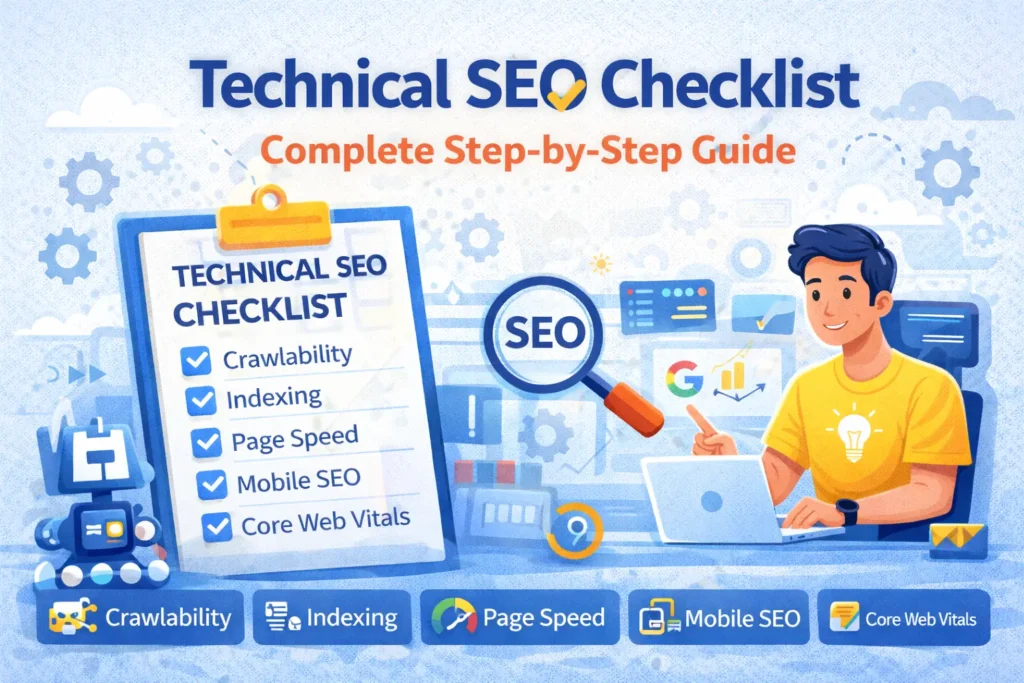
Technical SEO Checklist: How to Build a Search-Engine-Friendly Website
A great-looking website is only part of a successful online presence. If search engines cannot efficiently discover, crawl, understand, and index your pages, even excellent content may struggle to gain visibility in search results.
That is where technical SEO becomes important.
Technical SEO focuses on improving the technical foundation of a website so that search engines can access its important pages while visitors receive a fast, secure, and user-friendly experience.
From website speed and mobile responsiveness to XML sitemaps, HTTPS, canonical URLs, structured data, redirects, and crawlability, many technical elements can influence how effectively a website performs in organic search.
This technical SEO checklist covers the essential areas businesses and website owners should review when building or improving a search-engine-friendly website.
What Is Technical SEO?
Technical SEO is the process of optimizing a website’s infrastructure to make it easier for search engines to crawl, render, understand, and index its content.
While on-page SEO focuses heavily on content, headings, keywords, and page optimization, technical SEO works behind the scenes.
It includes areas such as:
- Website architecture
- Crawlability
- Indexability
- Website speed
- Mobile usability
- HTTPS and security
- XML sitemaps
- Robots.txt
- Canonical URLs
- Redirects
- Structured data
- Duplicate content management
- Broken links
- Core Web Vitals
Technical SEO does not replace high-quality content. Instead, it provides a stronger foundation that helps search engines access and understand that content.
Technical SEO Checklist
1. Make Sure Your Website Uses HTTPS
Website security should be one of the first items on your technical SEO checklist.
Your website should use HTTPS rather than HTTP. HTTPS encrypts information exchanged between a visitor’s browser and your website.
A properly configured SSL/TLS certificate allows your website to load using an address beginning with https://.
After enabling HTTPS, make sure all HTTP versions redirect correctly to their HTTPS equivalents.
You should also check for mixed-content issues where an HTTPS page still loads images, scripts, stylesheets, or other resources through HTTP.
A consistent HTTPS setup improves security and prevents visitors from encountering unnecessary browser warnings.
2. Create a Logical Website Structure
A clear website architecture benefits both visitors and search engines.
Important pages should be organized logically and should not be unnecessarily difficult to reach.
A typical small business website might use a structure such as:
Home → Services → Individual Service
Home → Service Areas → Individual Location
Home → Blog → Individual Article
Your most important pages should generally be accessible through your navigation or relevant internal links.
Avoid creating important pages that have no internal links pointing to them. These are sometimes called orphan pages.
A logical structure also makes future website expansion easier.
3. Use SEO-Friendly URLs
URLs should be simple, readable, and descriptive.
Instead of using a URL such as:
example.com/page?id=78592
a clearer URL could be:
example.com/website-design/
Good URLs generally:
- Describe the page
- Remain reasonably short
- Use readable words
- Use hyphens between words
- Avoid unnecessary parameters
- Avoid unnecessary folders
Once an established URL is indexed and receiving traffic, avoid changing it without a good reason. If a URL must change, implement an appropriate redirect from the old address to the new one.
4. Check Whether Search Engines Can Crawl Your Website
Search engines need to crawl pages before those pages can generally be considered for indexing.
Technical configurations can accidentally prevent important content from being crawled.
Review your website for issues involving:
- Robots.txt rules
- Password protection
- Server errors
- Broken internal links
- Incorrect redirects
- Restricted resources
- Crawl traps
Your robots.txt file should be reviewed carefully to make sure important sections of your website are not unintentionally blocked.
Blocking a page from crawling and preventing it from appearing in search results are also not necessarily the same thing, so indexing controls should be implemented carefully.
5. Check Page Indexability
A page being accessible does not automatically mean it is eligible for indexing.
One common problem is accidentally leaving a noindex directive on an important page.
This sometimes happens when a development or staging website is moved to the live domain.
Review important pages and make sure the pages you want in search results are indexable.
At the same time, not every URL necessarily needs to appear in search results.
Depending on the website, you may intentionally prevent indexing of low-value or private pages such as account areas, internal search results, staging content, or other pages that provide little value to search users.
6. Create and Submit an XML Sitemap
An XML sitemap provides search engines with a structured list of URLs you want them to know about.
For a typical business website, the sitemap may contain:
- Pages
- Blog posts
- Products
- Service pages
- Location pages
- Other important indexable content
Your sitemap should primarily contain canonical, indexable URLs.
Avoid filling it with:
- Broken URLs
- Redirected URLs
- Duplicate pages
noindexpages- Irrelevant URLs
Once your sitemap is ready, it can be submitted through relevant webmaster tools, including Google Search Console.
7. Configure Robots.txt Correctly
The robots.txt file provides crawling instructions to compliant search-engine crawlers.
It can be useful for controlling crawler access to certain sections of a website, but incorrect rules can cause significant problems.
For example, accidentally blocking an important service directory could prevent search engines from crawling those pages normally.
After making changes to robots.txt, verify that important pages and resources remain accessible.
Do not treat robots.txt as a method for protecting confidential information. Sensitive content should be protected with proper authentication and security controls.
8. Improve Website Loading Speed
Website performance affects both user experience and technical quality.
Visitors are less likely to remain on a website that feels slow or unresponsive.
Common causes of poor performance include:
- Oversized images
- Excessive JavaScript
- Too many third-party scripts
- Poor hosting
- Unoptimized CSS
- Excessive WordPress plugins
- Large fonts or media files
- Inefficient database queries
- Poor caching configuration
Possible improvements include image compression, modern image formats, browser caching, page caching, code optimization, content delivery networks, and improved hosting infrastructure.
Performance optimization should be based on testing rather than installing numerous optimization plugins without understanding what they do.
9. Optimize Core Web Vitals
Core Web Vitals are metrics designed to measure important aspects of real-world user experience.
The main metrics include:
Largest Contentful Paint (LCP)
LCP measures loading performance, focusing on how quickly the main visible content becomes available.
Large hero images, slow servers, render-blocking resources, and heavy scripts can negatively affect LCP.
Interaction to Next Paint (INP)
INP measures how responsive a page is to user interactions.
Heavy JavaScript and long-running browser tasks can contribute to poor responsiveness.
Cumulative Layout Shift (CLS)
CLS measures unexpected movement of page elements while the page loads.
Images without dimensions, dynamically inserted content, advertisements, and font-loading behavior can contribute to layout shifts.
Improving these metrics can create a smoother experience for visitors.
10. Make Your Website Mobile-Friendly
Your website should work properly across smartphones, tablets, laptops, and desktop computers.
Mobile optimization includes more than simply shrinking the desktop layout.
Check:
- Font readability
- Button sizes
- Navigation menus
- Form fields
- Image scaling
- Tables
- Popups
- Horizontal scrolling
- Spacing
- Content width
Test important pages on actual mobile devices when possible rather than relying entirely on a desktop responsive preview.
11. Fix Broken Links and 404 Errors
Broken links create frustrating experiences for visitors and can make website maintenance more difficult.
Regularly check your website for links pointing to pages that no longer exist.
When removing or changing a page, determine whether there is a relevant replacement.
If there is, a 301 redirect may be appropriate.
For example:
/old-web-design/ → /website-design/
Do not automatically redirect every deleted page to the homepage. Redirects should lead users to a genuinely relevant alternative.
If no suitable replacement exists, allowing the old URL to return an appropriate 404 or 410 response may be better than creating an irrelevant redirect.
12. Create a Helpful 404 Page
Even well-maintained websites may occasionally receive visits to URLs that do not exist.
A custom 404 page can help visitors recover instead of leaving immediately.
A useful 404 page can include:
- A clear explanation
- Link to the homepage
- Main navigation
- Search functionality where appropriate
- Links to important services
- Contact information
The server should still return the correct HTTP status code for a missing page.
13. Use Redirects Properly
Redirects are useful when URLs change, but they should be implemented carefully.
A 301 redirect is commonly used when a page has permanently moved.
Redirects may be needed after:
- Changing URL structures
- Deleting pages with suitable replacements
- Migrating a website
- Consolidating duplicate pages
- Switching from HTTP to HTTPS
Avoid unnecessary redirect chains such as:
Page A → Page B → Page C → Page D
Where practical, Page A should redirect directly to the final relevant destination.
Also check for redirect loops, where pages repeatedly redirect between URLs and never load successfully.
14. Use Canonical URLs Correctly
Duplicate or highly similar URLs can sometimes be accessible through different paths.
Canonical tags help indicate the preferred version of a page.
For example, if multiple URL variations display substantially the same content, the canonical configuration can help search engines understand which URL should be treated as the primary version.
Canonical tags should be implemented consistently.
Common mistakes include:
- Canonicalizing important pages to unrelated URLs
- Using broken canonical destinations
- Pointing canonical tags to redirected pages
- Creating conflicting signals between canonicals and redirects
- Accidentally canonicalizing many pages to the homepage
Include canonical checks as part of your regular technical SEO audit.
15. Prevent Unnecessary Duplicate Content
Duplicate content can occur for many technical reasons.
Examples include:
- HTTP and HTTPS versions
- WWW and non-WWW versions
- URL parameters
- Print versions
- Category and tag archives
- E-commerce filters
- Tracking parameters
- Duplicate service-area pages
Your website should have a clear preferred URL structure.
Depending on the situation, duplicate URLs can be handled through redirects, canonical tags, indexing directives, or improved site architecture.
The correct solution depends on why the duplicates exist.
16. Strengthen Internal Linking
Internal links help visitors and search engines discover related content.
For example, an article discussing WordPress website security could link naturally to your WordPress Development or Website Maintenance service page.
Similarly, service pages can link to relevant case studies, FAQs, location pages, or educational articles.
Use descriptive anchor text where it makes sense.
Instead of repeatedly using:
Click here
you might use:
professional WordPress development services
Internal linking should feel natural and genuinely help the reader navigate your website.
17. Add Structured Data Where Appropriate
Structured data provides additional machine-readable information about page content.
Depending on the website, relevant structured data may describe:
- Organizations
- Local businesses
- Products
- Breadcrumbs
- Articles
- Events
- Job postings
- Videos
- Other supported content types
Structured data should accurately represent content that actually exists on the page.
Do not add misleading markup solely in an attempt to obtain enhanced search-result features.
After implementation, test your structured data and monitor for errors.
18. Optimize Images
Images are often among the largest resources on a webpage.
Poorly optimized images can significantly increase page size.
Good image optimization practices include:
- Compressing images
- Choosing appropriate dimensions
- Using modern formats when suitable
- Adding descriptive filenames
- Providing meaningful alt text when appropriate
- Lazy-loading suitable off-screen images
- Avoiding unnecessarily large files
Alt text should describe the image’s purpose or content when that information is useful for accessibility.
Avoid stuffing keywords into every image description.
19. Check Your Heading Structure
Headings organize content and improve readability.
A page should have a clear hierarchy.
For example:
H1: Website Design Services
H2: Custom Website Development
H3: WordPress Development
H3: E-commerce Development
H2: Why Choose Our Website Design Services?
Do not select heading levels only because of their visual size. Styling should be controlled with CSS, while heading tags should reflect the logical organization of the content.
20. Optimize Page Titles and Meta Descriptions
Every important indexable page should have a descriptive title.
For example:
Website Design & Development Services | Company Name
Meta descriptions can provide concise summaries of page content and may be used by search engines when presenting search results, although search engines can choose different snippets.
Avoid using the same title and description across every page.
Each important page should clearly communicate its specific purpose.
21. Monitor Your Website With Google Search Console
Google Search Console can provide valuable information about how Google interacts with your website.
Website owners can use it to review areas such as:
- Indexing status
- Search performance
- Sitemap processing
- Crawl-related issues
- Core Web Vitals
- Manual actions
- Security issues
- Individual URL status
After launching a new website or making major technical changes, Search Console should be monitored for unexpected indexing or crawling problems.
22. Remove or Update Outdated Website Content
Technical SEO is not only about code.
Old pages, outdated services, duplicate articles, expired offers, and abandoned content can create unnecessary clutter.
Periodically review your website and decide whether outdated content should be:
- Updated
- Improved
- Combined with another page
- Redirected
- Removed
Do not delete pages simply because they are old. Review whether they still receive traffic, have external links, or provide useful information before deciding what to do.
23. Check Your Website After a Migration
Website migrations require careful technical SEO planning.
If you move from one domain to another, redesign the website, change the URL structure, or switch platforms, review:
- Redirects
- Canonical URLs
- Internal links
- XML sitemap
- Robots.txt
- Analytics
- Search Console
- HTTPS
- Structured data
- Images
- Metadata
- Indexing directives
One of the biggest migration mistakes is launching a redesigned website without properly redirecting important old URLs.
Create a URL mapping plan before making major structural changes.
24. Keep WordPress Technically Healthy
For businesses using WordPress, regular maintenance can prevent many performance and technical problems.
Review:
- WordPress core updates
- Plugin updates
- Theme updates
- PHP compatibility
- Database health
- Security settings
- Backups
- Caching
- Broken links
- Unused plugins
- Unused themes
Avoid installing multiple plugins that perform the same function. Plugin conflicts and excessive functionality can create performance and maintenance issues.
25. Perform Regular Technical SEO Audits
Technical SEO should not be treated as a one-time project.
Websites change continuously.
New pages are published, old URLs are removed, plugins are updated, redirects are created, images are uploaded, and website designs evolve.
A regular technical audit can identify problems before they become widespread.
Technical SEO Audit Checklist
During your audit, check:
- HTTPS configuration
- Crawlability
- Indexability
- XML sitemap
- Robots.txt
- Broken links
- 404 pages
- Redirects
- Redirect chains
- Canonical tags
- Duplicate URLs
- Website speed
- Core Web Vitals
- Mobile responsiveness
- Internal links
- Structured data
- Image optimization
- Page titles
- Heading structure
- Search Console reports
- Website security
- Server errors
Prioritize issues based on their impact rather than trying to fix every minor warning reported by an SEO auditing tool.
Technical SEO and Content SEO Work Together
Technical SEO alone will not guarantee strong search rankings.
A technically excellent website still needs useful, relevant, original content that meets the needs of its intended audience.
Likewise, excellent content can be held back by serious technical problems.
A strong SEO strategy therefore combines:
Technical SEO + High-Quality Content + On-Page SEO + Internal Linking + Strong User Experience + Website Authority
The technical foundation helps search engines access your website, while your content gives people a reason to visit and engage with it.
Final Thoughts
Building a search-engine-friendly website requires much more than adding keywords to pages.
Your website needs a solid technical foundation that allows search engines to discover, crawl, render, and understand your important content while providing visitors with a fast, secure, accessible, and mobile-friendly experience.
Start with the fundamentals: HTTPS, crawlability, indexability, mobile responsiveness, website speed, clean URLs, XML sitemaps, internal linking, and proper redirects.
Then continue improving areas such as Core Web Vitals, structured data, canonicalization, content organization, and overall website performance.
Most importantly, continue monitoring your website after launch. Technical SEO is an ongoing process, and regular maintenance can prevent small problems from becoming larger SEO issues.
Need Help With Your Website’s Technical SEO?
A technically optimized website can provide a stronger foundation for long-term organic search visibility.
Adeel Web Solutions provides professional website design, WordPress development, website optimization, maintenance, and SEO-focused development solutions for businesses looking to improve their online presence.
Whether you are building a new website, redesigning an existing site, fixing technical issues, or improving website performance, we can help create a faster, cleaner, and more search-engine-friendly website.
Contact Adeel Web Solutions today to discuss your website development and technical SEO requirements.
