

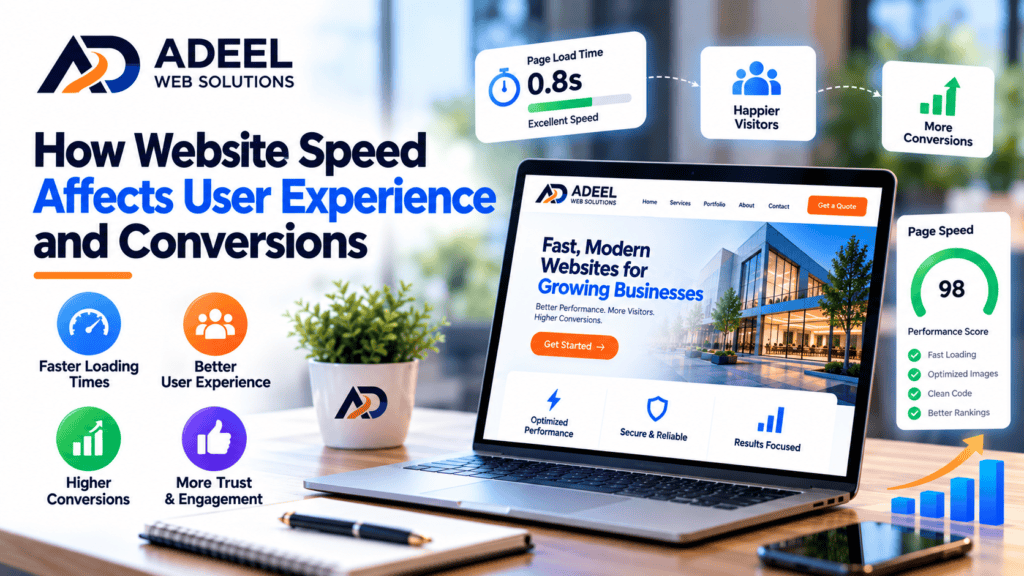
How Website Speed Affects User Experience and Conversions
Website speed plays an important role in how visitors experience your business online. A website may have an attractive design, useful content, and excellent products or services, but if visitors have to wait too long for pages to load, they may leave before seeing any of it.
Modern internet users expect websites to respond quickly, especially when browsing on mobile devices. Slow-loading pages can create frustration, interrupt the customer journey, and make it more difficult for visitors to complete important actions such as submitting a contact form, requesting a quote, booking an appointment, or making a purchase.
For businesses that depend on their websites for leads and sales, website performance should therefore be considered an important part of both user experience and conversion optimization.
In this article, we explain how website speed affects user experience, conversions, SEO, and business performance—and what you can do to improve it.
What Is Website Speed?
Website speed describes how quickly a website loads and becomes usable for visitors.
However, website performance involves more than measuring the time required for an entire page to finish loading.
A good user experience also depends on factors such as:
- How quickly the main content becomes visible
- How soon users can interact with the page
- Whether the layout moves unexpectedly while loading
- How quickly the website responds to user interactions
- How smoothly images, fonts, and other elements appear
This means a page can sometimes appear partially loaded while still providing a poor experience.
Professional website optimization focuses on making the website feel fast, stable, and responsive throughout the visitor’s interaction.
1. Website Speed Shapes the First Impression
Your website may be the first interaction a potential customer has with your business.
Visitors often arrive after clicking a search result, advertisement, social media post, or referral link. At that point, the website needs to provide a smooth experience immediately.
If the page loads quickly and works properly, visitors can focus on your message.
If they are greeted by a blank screen, slowly appearing images, or unresponsive buttons, their first impression may be negative.
Website performance is therefore part of your overall brand experience.
A fast, responsive website can make your business feel more professional and polished.
2. Slow Websites Can Cause Visitors to Leave
Online visitors have many choices.
If one website is slow or difficult to use, returning to search results and visiting another company can be very easy.
This is particularly important for competitive industries such as:
- Home services
- E-commerce
- Healthcare
- Professional services
- Real estate
- Restaurants
- Local businesses
- Digital services
A potential customer searching for an immediate solution may not be willing to wait for a slow website.
Improving website speed helps reduce unnecessary friction between arriving on your website and finding the information the visitor needs.
3. Website Speed Can Affect Conversions
A conversion happens when a visitor completes an action that is valuable to your business.
Depending on your website, this might include:
- Submitting a contact form
- Requesting a quote
- Calling your company
- Scheduling an appointment
- Creating an account
- Signing up for a newsletter
- Adding a product to the cart
- Completing a purchase
Every additional obstacle can make completing these actions more difficult.
Imagine a potential customer reads about your service and decides to request a quote. They click the contact button, but the form takes too long to load.
Some visitors may wait. Others may leave.
For an e-commerce website, slow category pages, product pages, carts, or checkout processes can create similar problems.
Website speed optimization is therefore not only a technical task. It can also be part of conversion rate optimization.
4. Mobile Website Speed Is Especially Important
Mobile users may experience your website under very different conditions from desktop visitors.
They may be using mobile data, slower connections, older smartphones, or less powerful devices.
A website that appears fast on a developer’s high-speed desktop connection may perform very differently for a customer using a phone.
This makes mobile performance particularly important.
A mobile-friendly website should provide:
- Fast-loading pages
- Responsive layouts
- Readable text
- Easy-to-use navigation
- Properly sized buttons
- Optimized images
- Simple contact forms
- Click-to-call functionality
Responsive design and website performance should work together.
A page technically fitting a mobile screen does not automatically mean it provides a good mobile experience.
5. Website Speed and SEO Are Connected
Search engine optimization is not only about keywords and content.
Technical performance and page experience can also contribute to the overall quality of a website.
Google uses page experience-related signals, including Core Web Vitals, as part of its systems.
This does not mean that making a website faster will automatically move it to the top of search results. Search rankings depend on many factors, including relevance, content quality, competition, links, and search intent.
However, maintaining a technically strong website provides a better foundation for both visitors and search engines.
Businesses investing in SEO should therefore avoid ignoring website performance.
6. Understanding Core Web Vitals
Core Web Vitals are metrics designed to evaluate important aspects of real-world website experience.
Three important measurements are:
Largest Contentful Paint (LCP)
LCP measures how quickly the main visible content of a page appears.
For example, this could be a large hero image, heading, or another major content element.
A slow LCP can make visitors feel that the page is taking too long to become useful.
Interaction to Next Paint (INP)
INP focuses on responsiveness.
It evaluates how quickly a page provides visual feedback after a visitor interacts with it.
For example, when someone clicks a button or opens a menu, the website should respond without an excessive delay.
Cumulative Layout Shift (CLS)
CLS measures visual stability.
Have you ever tried to click a button and suddenly had the page move because an image or advertisement loaded?
That is the type of experience CLS is designed to measure.
Reducing unexpected layout movement creates a more predictable and comfortable browsing experience.
7. Large Images Can Slow Down Your Website
Images are one of the most common causes of unnecessarily large web pages.
Uploading a photograph directly from a camera or smartphone can result in an image that is much larger than necessary for the area where it appears.
For example, displaying an extremely high-resolution image inside a relatively small website card wastes bandwidth.
Images should be appropriately resized and compressed before or during delivery.
Modern formats such as WebP or AVIF can also reduce file sizes in appropriate situations while maintaining good visual quality.
Responsive image techniques can help browsers load a suitable image size for the visitor’s device.
8. Too Many Plugins Can Affect WordPress Performance
WordPress allows businesses to add functionality through plugins.
Plugins can provide valuable features, but installing too many—or using poorly optimized ones—can create performance and maintenance problems.
Plugins may introduce additional:
- JavaScript
- CSS
- Database queries
- External requests
- Background processes
The number of plugins alone does not determine website speed. A single poorly developed plugin can sometimes create more problems than several lightweight plugins.
Businesses should periodically review installed plugins and remove anything that is unnecessary, outdated, unsupported, or duplicated by another tool.
9. Hosting Can Influence Website Performance
Website optimization can only go so far if the hosting environment is consistently slow or unreliable.
Hosting affects how quickly the server can process requests and deliver website resources.
When choosing hosting, businesses should consider factors such as server performance, reliability, available resources, security, backups, caching options, and technical support.
The right hosting solution depends on the size and requirements of the website.
A small business brochure website and a high-traffic e-commerce store may require very different hosting configurations.
10. Excessive JavaScript Can Create Performance Problems
Modern websites frequently rely on JavaScript for interactive functionality.
However, excessive or poorly optimized JavaScript can slow down page loading and responsiveness.
This is particularly relevant when websites use many third-party tools, including:
- Tracking scripts
- Chat widgets
- Advertising platforms
- Pop-ups
- Animation libraries
- Social media integrations
- Marketing tools
Each additional script should have a clear purpose.
Website owners should periodically evaluate whether third-party tools are providing enough value to justify their performance impact.
11. Too Many Animations Can Hurt the Experience
Animations can make websites visually interesting, but they should be used carefully.
Animating every heading, image, button, and section can create unnecessary complexity.
Heavy animations may also require additional browser resources, particularly on less powerful mobile devices.
A better approach is to use subtle animations when they support the user experience.
Design should help visitors understand your content rather than distract them from it.
12. Caching Can Improve Loading Times
Caching allows certain website resources or generated content to be reused rather than recreated or downloaded unnecessarily on every visit.
Different types of caching can operate at several levels, including the browser, website application, server, or content delivery network.
When configured properly, caching can significantly improve website performance.
WordPress websites often use caching plugins or hosting-level caching systems.
However, caching should be configured carefully because incorrect settings can sometimes cause outdated pages or website functionality problems.
13. A Content Delivery Network Can Help
A Content Delivery Network, commonly known as a CDN, distributes website resources through geographically distributed infrastructure.
Instead of every visitor retrieving certain resources from the same origin server, a CDN can serve cached content from an appropriate network location.
CDNs can be particularly useful for websites serving visitors across different geographic regions.
They may also provide additional performance and security features depending on the provider.
A CDN is not a replacement for good website optimization, but it can be an important part of a broader performance strategy.
14. Fonts Can Affect Performance
Custom fonts contribute to branding, but loading too many font families and weights can increase the amount of data a visitor needs to download.
For example, a website may not need separate files for several different weights of multiple font families.
Limiting typography to the styles actually used can help simplify the website.
Font-loading strategies can also reduce problems such as invisible text or unexpected layout movement during page loading.
15. Clean Website Design Can Improve Performance
Website performance often begins with design decisions.
A page containing several videos, sliders, large images, animations, pop-ups, and third-party widgets will naturally require more resources than a simpler page.
This does not mean every website needs to look minimal.
It means every design element should have a purpose.
Ask:
Does this element help the customer understand the business?
Does it improve usability?
Does it support conversions?
If the answer is no, removing it may improve both design clarity and performance.
16. Speed Matters Throughout the Customer Journey
Businesses often optimize their homepage while overlooking other important pages.
Potential customers may enter your website directly through a service page, blog article, product page, location page, or landing page.
Performance should therefore be considered across the entire customer journey.
Pay particular attention to:
- Homepage
- Service pages
- Landing pages
- Product pages
- Contact page
- Shopping cart
- Checkout
- Appointment booking pages
These pages frequently influence whether visitors become leads or customers.
17. How to Test Your Website Speed
Website owners should regularly test performance rather than relying on how fast the website feels on their own computer.
Several factors can make your personal experience misleading, including browser caching, fast internet connections, and powerful hardware.
Performance testing can help identify problems involving images, scripts, server response times, layout shifts, and other resources.
Google PageSpeed Insights is one commonly used tool for evaluating web performance and Core Web Vitals.
Testing should ideally include both mobile and desktop experiences.
18. Common Causes of Slow Websites
Website performance problems rarely have only one cause.
Common issues include:
- Unoptimized images
- Large background videos
- Excessive plugins
- Poor-quality hosting
- Too much JavaScript
- Unnecessary CSS
- Third-party tracking scripts
- Multiple font files
- Missing caching
- Outdated themes or plugins
- Poor database optimization
- Heavy page builders
- Too many external requests
A proper website speed audit can help identify which issues are actually affecting a particular website.
19. Don’t Sacrifice Functionality Just for a Speed Score
Website owners sometimes become overly focused on achieving a perfect performance score.
A score can be useful for identifying problems, but the ultimate objective is to create a fast and functional website for real visitors.
Removing essential features solely to improve a testing score may not always be the right decision.
For example, a contact form that generates valuable leads has a clear business purpose.
Optimization should therefore balance performance with functionality, usability, accessibility, design, and business goals.
20. Website Speed Optimization Should Be Ongoing
Websites change over time.
Businesses add new pages, install plugins, upload images, add tracking tools, publish articles, and introduce new features.
These changes can gradually affect performance.
Regular website maintenance should therefore include performance monitoring.
Periodically review:
- Page speed
- Core Web Vitals
- Image sizes
- Plugins
- Themes
- Scripts
- Database performance
- Mobile usability
- Broken functionality
Ongoing optimization can help prevent a fast website from gradually becoming slow.
How Website Speed Can Support More Conversions
Improving website speed does not guarantee that every visitor will become a customer.
Conversion rates depend on many factors, including your offer, pricing, reputation, messaging, design, traffic quality, and customer needs.
However, speed removes unnecessary friction.
When pages load quickly, visitors can more easily explore services, read content, view products, complete forms, and move through checkout or booking processes.
This creates better conditions for conversions.
Website speed should therefore be viewed as part of a broader conversion strategy rather than as an isolated technical metric.
Create a Faster, Better Website Experience
Website speed directly contributes to how people experience your business online.
A slow website can interrupt the customer journey, while a fast and responsive website makes it easier for visitors to find information and take action.
Businesses should focus on optimizing images, reducing unnecessary scripts, maintaining WordPress plugins, using effective caching, choosing appropriate hosting, improving mobile performance, and regularly monitoring website health.
The goal is not simply to achieve a high speed score.
The goal is to create a website that feels fast, works reliably, and makes it easy for potential customers to interact with your business.
Improve Your Website Speed With Adeel Web Solutions
If your website takes too long to load, performs poorly on mobile devices, or provides a frustrating user experience, improving its performance can make a significant difference.
At Adeel Web Solutions, we help businesses create and improve professional, responsive, and performance-focused websites. Our services include website design and development, WordPress development, website redesign, performance optimization, maintenance, e-commerce development, and landing page design.
Whether you are experiencing slow-loading pages, WordPress performance problems, mobile usability issues, or an outdated website, we can help identify opportunities for improvement.
Ready to improve your website’s speed and user experience? Contact Adeel Web Solutions today to discuss your website and discover how better performance can support your online business goals.
