

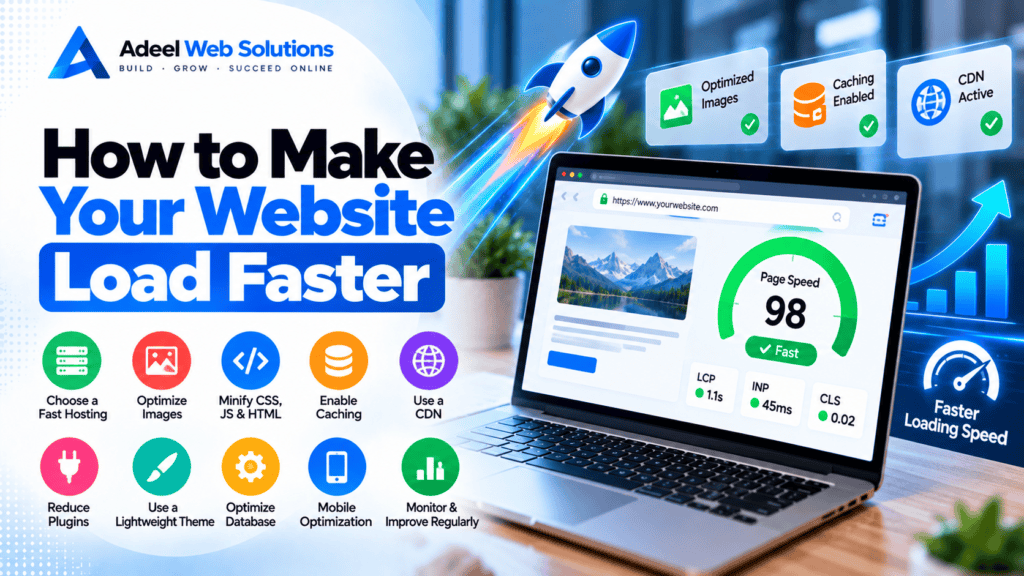
How to Make Your Website Load Faster
A fast website creates a smoother experience for visitors and makes it easier for them to browse services, read content, submit forms, shop online, or contact your business. When pages take too long to load or respond, visitors may become frustrated and leave before completing the action you want them to take.
Website speed is influenced by many different factors. Large images, slow hosting, excessive JavaScript, poor caching, unnecessary plugins, third-party scripts, fonts, videos, and complicated page layouts can all contribute to performance problems.
The good news is that website speed can usually be improved once you identify where the bottlenecks are.
In this guide, we’ll explain how to make your website load faster, which optimization techniques matter most, and how to improve performance without sacrificing important design or functionality.
Why Website Speed Matters
Website speed affects much more than a performance testing score.
A faster website can contribute to a better experience when visitors:
- Navigate between pages
- Browse services
- Read blog articles
- View products
- Submit contact forms
- Make bookings
- Use mobile devices
- Complete online purchases
Speed can also support your broader SEO and website optimization efforts.
The goal should not simply be to make a speed-testing tool display a higher number. The goal is to create a website that feels fast and responsive to real visitors.
1. Test Your Website Before Making Changes
Before optimizing anything, establish a baseline.
Testing helps identify what is actually slowing down your website.
Useful performance tools include:
- Google PageSpeed Insights
- Lighthouse
- Chrome DevTools
- GTmetrix
- WebPageTest
Don’t test only your homepage.
Review several important pages, including:
- Homepage
- Service pages
- Landing pages
- Blog posts
- Contact page
- Product pages
- Cart and checkout
Different pages may have completely different performance problems.
For example, your homepage may have an oversized hero image while your contact page may be slowed down by a map and booking system.
2. Choose Fast and Reliable Web Hosting
Your hosting environment is the foundation of your website.
When a visitor requests a page, your server may need to process application code, communicate with a database, generate content, and send resources back to the browser.
Slow hosting can therefore affect the entire website.
When evaluating hosting, consider:
- CPU resources
- Available memory
- Storage technology
- Server configuration
- Database performance
- Server location
- Caching features
- Traffic capacity
- CDN integration
- PHP support for WordPress
The cheapest hosting plan is not always the most appropriate choice for a growing business website.
At the same time, expensive hosting cannot automatically fix a poorly optimized website.
Hosting and website optimization need to work together.
3. Optimize Your Images
Images are one of the first areas to investigate when a website is slow.
Modern cameras and smartphones can produce extremely large files. Uploading these photographs directly to a website can create unnecessary page weight.
Before uploading images:
- Resize them.
- Compress them.
- Select an appropriate format.
- Remove unnecessary metadata where appropriate.
Avoid uploading a 5000-pixel image when the website only displays it at a fraction of that size.
Consider Modern Image Formats
Depending on your requirements, modern formats such as:
- WebP
- AVIF
can provide efficient compression while maintaining good visual quality.
Traditional formats such as JPEG, PNG, and SVG still have appropriate uses as well.
Choose formats according to the type of image rather than automatically converting everything to the same format.
4. Use Responsive Images
Desktop and mobile users don’t always need the same image dimensions.
A large desktop monitor may require a larger image, while a smartphone may only need a much smaller version.
Responsive images allow browsers to choose an appropriate image based on the visitor’s device and layout.
This can reduce unnecessary data transfer for mobile users.
WordPress includes responsive image functionality for many standard images, but custom themes, page builders, and background images should still be checked carefully.
5. Lazy-Load Below-the-Fold Images
Not every image needs to load immediately.
If a visitor can initially see only the top portion of a long webpage, images near the bottom can often wait until the user scrolls closer to them.
This technique is called lazy loading.
It can be useful for:
- Blog images
- Galleries
- Product listings
- Team photos
- Testimonials
- Portfolio images
However, don’t automatically lazy-load your main hero image.
If the hero is your Largest Contentful Paint element, delaying it can make the initial loading experience worse.
6. Optimize Your Hero Section
Hero sections frequently contain some of the largest resources on a website.
They may include:
- Full-screen background images
- Videos
- Sliders
- Animations
- Custom fonts
- Multiple buttons
A visually impressive hero does not need to be technically heavy.
Consider using:
- One optimized hero image
- A clear headline
- Short supporting copy
- One or two strong calls-to-action
Reducing unnecessary sliders, background videos, and animations can make the first screen significantly easier to load.
7. Enable Page Caching
Dynamic websites may generate a page whenever someone requests it.
For WordPress, this can involve PHP processing, database queries, theme code, and plugins.
Page caching stores a generated version of the page so it can be delivered more efficiently to future visitors.
Caching can reduce repeated server processing and improve response times.
Depending on your setup, caching may be provided by:
- Your hosting company
- A WordPress plugin
- Server configuration
- A reverse proxy
- A CDN
Check what your hosting platform already provides before installing additional caching systems.
8. Configure Browser Caching
Browser caching allows reusable website resources to remain stored on the visitor’s device for an appropriate period.
Examples include:
- Logos
- Images
- CSS
- JavaScript
- Fonts
- Icons
When visitors navigate to another page or return to the website, their browser may be able to reuse these resources instead of downloading everything again.
This can improve repeat browsing performance.
9. Use a Content Delivery Network
A Content Delivery Network (CDN) can distribute cached website resources across multiple locations.
Visitors may then receive static content from infrastructure geographically closer to them rather than relying entirely on your origin server.
A CDN can be particularly helpful for websites serving customers in multiple countries or regions.
Depending on the provider, CDN services may also offer:
- Image optimization
- Caching
- Compression
- WebP or AVIF delivery
- Security features
- Edge optimization
A CDN is not a replacement for good hosting or efficient website development, but it can be an important part of a broader performance strategy.
10. Reduce Unnecessary CSS
CSS controls the visual presentation of your website.
Large themes, page builders, and plugins may load styles that are not required on every page.
Reducing unused CSS can decrease the amount of code the browser needs to download and process.
Possible improvements include:
- Removing unused plugins
- Removing unused page-builder widgets
- Reducing unused CSS
- Minifying CSS
- Loading page-specific styles when appropriate
Be careful when automatically removing CSS.
Aggressive optimization can break layouts, especially on responsive websites.
Always test desktop, tablet, and mobile views afterward.
11. Reduce JavaScript
JavaScript provides much of the interactive functionality found on modern websites.
However, excessive JavaScript can increase loading time and make interactions feel slow.
JavaScript may come from:
- Themes
- Plugins
- Page builders
- Analytics
- Live chat
- Advertising
- Review widgets
- Maps
- Social feeds
- Booking platforms
Review whether every script is genuinely required.
For non-critical scripts, consider whether they can be deferred or delayed without affecting essential functionality.
12. Minify Website Files
Minification removes unnecessary formatting from files such as:
- CSS
- JavaScript
- HTML
This can reduce file sizes.
Many caching and optimization tools can automatically minify website resources.
However, always test your website after enabling these features.
Check:
- Navigation
- Forms
- Popups
- Accordions
- Sliders
- Product variations
- Cart functionality
- Checkout
Performance optimization should never come at the expense of essential website functionality.
13. Reduce Third-Party Scripts
Third-party tools can quietly become one of the biggest contributors to website performance problems.
Examples include:
- Analytics
- Advertising pixels
- Live chat
- Social media feeds
- Review widgets
- Maps
- Scheduling tools
- Heatmaps
- CRM tracking
- Video players
Audit these integrations regularly.
Remove services that are:
- No longer used
- Duplicated
- Outdated
- Providing little business value
For required services, investigate whether they can load only when needed.
14. Optimize Your Fonts
Custom typography can make a website look professional, but loading too many fonts can affect performance.
A website might unnecessarily load:
- Multiple font families
- Regular
- Medium
- Semi-bold
- Bold
- Extra-bold
- Italic versions
If your design uses only two weights, there may be no reason to load six.
To improve font performance:
- Limit font families.
- Load only required weights.
- Use efficient font formats.
- Configure font loading appropriately.
- Consider system fonts when suitable.
Good typography doesn’t require excessive font resources.
15. Reduce Sliders and Carousels
Sliders can add visual interest, but they may also introduce:
- Multiple large images
- JavaScript
- CSS
- Animation libraries
A homepage slider containing five high-resolution images can be significantly heavier than a single optimized hero image.
Ask whether visitors actually benefit from the slider.
For many business websites, a static hero with a strong headline and clear CTA can be simpler, faster, and easier to understand.
16. Optimize Video Embeds
Videos can make pages much heavier, particularly when several external players are embedded.
Instead of loading the full video player immediately, consider using:
- A preview image
- A lightweight video placeholder
- Click-to-load functionality
- Lazy loading
This allows visitors to load the video when they actually want to watch it.
Also avoid unnecessary autoplay background videos, especially on mobile devices.
17. Keep WordPress Plugins Under Control
For WordPress websites, plugins should be reviewed regularly.
Don’t assume that simply having many plugins automatically makes WordPress slow.
Plugin quality and behavior are more important than the raw number.
One poorly optimized plugin can create more problems than several lightweight plugins.
Review whether plugins:
- Load scripts everywhere
- Make excessive database queries
- Contact external services
- Duplicate existing functionality
- Run unnecessary background tasks
Remove plugins that no longer provide value.
18. Optimize the WordPress Database
WordPress databases can accumulate unnecessary information over time.
This may include:
- Old revisions
- Spam comments
- Expired transients
- Deleted content
- Old plugin data
- Unused tables
Database maintenance can help keep WordPress organized and may improve performance in certain situations.
Always create a backup before making database changes.
For larger websites, identifying inefficient queries is often more useful than simply deleting records.
19. Keep WordPress, Themes, and Plugins Updated
Updates can include:
- Performance improvements
- Compatibility changes
- Security fixes
- Bug fixes
Keep WordPress core, themes, and plugins appropriately maintained.
Before major updates, create a backup and test important functionality afterward.
Also remove abandoned themes and plugins that are no longer needed.
20. Simplify Your Website Design
Performance optimization isn’t always about technical configuration.
Sometimes the design itself is unnecessarily complicated.
A page may contain:
- Too many sections
- Nested containers
- Decorative elements
- Multiple sliders
- Animated backgrounds
- Excessive entrance animations
- Large galleries
- Several calls-to-action
Simplifying the design can reduce both browser workload and visual clutter.
A cleaner page can also make it easier for visitors to understand what action they should take.
21. Optimize Elementor Websites
Elementor websites can perform well when they are designed efficiently.
Common Elementor performance improvements include:
- Reducing nested containers
- Removing empty widgets
- Limiting Elementor add-ons
- Optimizing background images
- Reducing animations
- Avoiding unnecessary sliders
- Simplifying mobile layouts
- Reducing excessive DOM size
Don’t install a large Elementor add-on package simply because you need one small widget if a lighter solution is available.
22. Enable Gzip or Brotli Compression
Compression can reduce the amount of text-based data transferred between your server and visitors.
Common compression technologies include:
- Gzip
- Brotli
They can help reduce transfer sizes for resources such as:
- HTML
- CSS
- JavaScript
- SVG
- JSON
Many modern hosting platforms and CDNs already provide compression.
Check your existing configuration before installing additional tools.
23. Reduce Redirects
Redirects are sometimes necessary.
For example, they are useful when:
- A page URL changes
- A website moves from HTTP to HTTPS
- Old content moves to a new location
However, unnecessary redirect chains create additional requests.
For example:
URL A → URL B → URL C → Final URL
is less efficient than:
URL A → Final URL
Review internal links and update them to point directly to the final destination whenever practical.
24. Improve Core Web Vitals
Website speed optimization should include Google’s Core Web Vitals.
Largest Contentful Paint (LCP)
Measures loading performance.
Improve it by reviewing:
- Hero images
- Server response
- CSS
- Fonts
- Critical resources
Interaction to Next Paint (INP)
Measures responsiveness.
Improve it by reducing:
- Heavy JavaScript
- Long browser tasks
- Complex page structures
- Excessive third-party scripts
Cumulative Layout Shift (CLS)
Measures visual stability.
Improve it by:
- Reserving space for images
- Defining dimensions
- Managing fonts
- Reserving space for embeds
- Avoiding unexpected content insertion
These metrics can help you understand how the website performs from the visitor’s perspective.
25. Focus on Mobile Performance
Don’t optimize only for desktop.
Mobile visitors may have slower connections and less powerful devices.
Review:
- Mobile images
- Navigation
- Hero sections
- Forms
- Popups
- Sticky elements
- Fonts
- Animations
- Third-party widgets
- JavaScript
A website that performs well on a powerful desktop computer may still feel slow on an average smartphone.
26. Optimize E-Commerce Websites Carefully
Online stores often require more resources than simple business websites.
They may include:
- Product filters
- Search
- Product galleries
- Variations
- Recommendations
- Reviews
- Shopping carts
- Payment gateways
- Shipping calculators
Optimize the complete shopping experience.
Pay particular attention to:
- Product pages
- Category pages
- Search
- Cart
- Checkout
Don’t apply aggressive caching or JavaScript optimization to dynamic checkout functionality without proper testing.
27. Monitor Website Performance Regularly
A website can be fast today and slower six months later.
Performance changes as you add:
- Plugins
- Content
- Images
- Videos
- Marketing scripts
- Tracking systems
- New features
Regular performance monitoring helps identify problems before they become severe.
Consider reviewing performance after every major website update or redesign.
Website Speed Optimization Checklist
Use this checklist when improving your website:
- Test important pages
- Check mobile and desktop
- Review Core Web Vitals
- Improve hosting if necessary
- Optimize images
- Use responsive images
- Lazy-load below-the-fold images
- Optimize hero images
- Enable page caching
- Configure browser caching
- Consider a CDN
- Reduce unused CSS
- Reduce unnecessary JavaScript
- Minify website files
- Audit third-party scripts
- Optimize fonts
- Reduce unnecessary sliders
- Optimize video embeds
- Review WordPress plugins
- Maintain the database
- Keep software updated
- Simplify complex layouts
- Optimize Elementor
- Enable Gzip or Brotli
- Reduce redirect chains
- Improve LCP
- Improve INP
- Improve CLS
- Optimize mobile performance
- Test e-commerce functionality
- Monitor performance regularly
Don’t Focus Only on Getting a 100/100 Score
Performance tools such as Google PageSpeed Insights are valuable for identifying technical issues.
However, a perfect score should not become the only objective.
A business website may need:
- Analytics
- Contact forms
- Booking systems
- CRM integrations
- Maps
- Payment gateways
- Reviews
- Videos
- Advertising tracking
These features can add some performance overhead while still providing real value.
Instead, aim for a balance between:
Website Speed + User Experience + Functionality + Design + Conversions
The best optimization strategy improves the real customer experience rather than simply improving a number in a testing tool.
Final Thoughts
Making a website load faster usually requires a combination of improvements rather than one magic solution.
Start by testing your website and identifying the biggest bottlenecks.
For some websites, image optimization may create the largest improvement. Others may need better hosting, caching, plugin cleanup, JavaScript optimization, database improvements, or a simpler page structure.
Prioritize the changes that provide the greatest benefit to real visitors.
A fast website should allow customers to quickly understand your business, navigate your services, complete forms, browse products, and take action without unnecessary delays.
Website performance is not a one-time project either. As your website grows, continue monitoring it and reviewing new content, plugins, scripts, and functionality.
A well-maintained website can remain fast, responsive, and effective as your business grows.
Need Help Making Your Website Faster?
If your website loads slowly, performs poorly on mobile devices, or has low Core Web Vitals and PageSpeed results, professional website optimization can help identify the underlying problems.
At Adeel Web Solutions, we help businesses improve website speed, WordPress performance, Core Web Vitals, image optimization, Elementor performance, responsive design, caching, and overall website functionality.
Whether your website needs targeted speed improvements, WordPress cleanup, image optimization, hosting recommendations, Elementor optimization, or a performance-focused redesign, we can help identify the bottlenecks and implement practical solutions.
Contact Adeel Web Solutions today to improve your website speed and create a faster, smoother experience for your visitors.
