

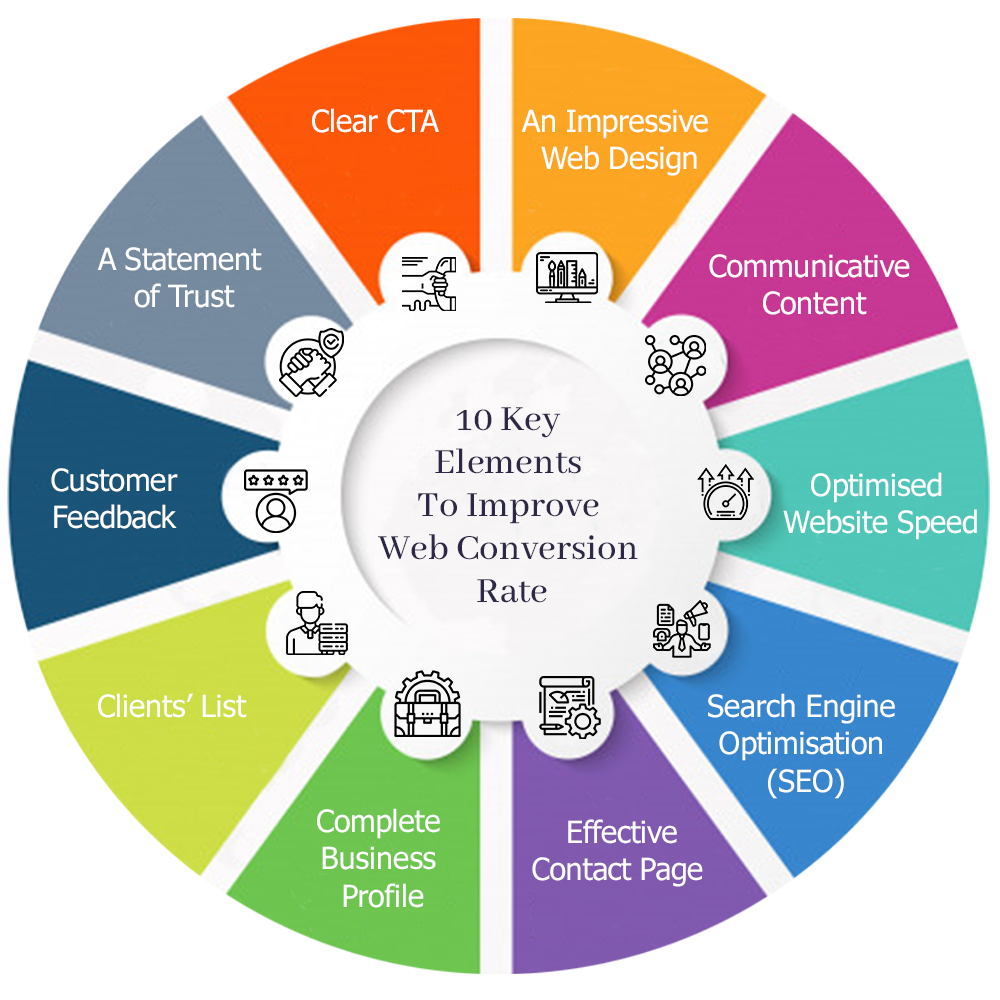
How to Improve Your E-commerce Website Conversion Rate
Getting more visitors to your e-commerce website is important, but traffic alone does not guarantee business growth. The real opportunity comes from turning more of those visitors into paying customers.
This is where e-commerce conversion rate optimization (CRO) becomes important.
Your conversion rate represents the percentage of website visitors who complete a desired action. For an online store, the primary conversion is usually completing a purchase, although other valuable actions may include creating an account, joining an email list, requesting information, or adding a product to the cart.
If your store receives significant traffic but relatively few sales, you may not need more visitors first. You may need to improve the experience for the visitors you already have.
From website speed and product pages to checkout design and customer trust, many factors can influence purchasing decisions.
Here are practical ways to improve your e-commerce website conversion rate.
1. Improve Your Website Speed
Website speed can have a significant impact on the shopping experience.
Online shoppers expect pages to respond quickly. If customers have to wait for product pages, images, filters, or checkout screens to load, they may leave before completing their purchase.
E-commerce websites can become particularly demanding because they often contain large product images, plugins, tracking scripts, payment integrations, and dynamic functionality.
To improve performance, consider:
- Compressing product images
- Using modern image formats where appropriate
- Implementing caching
- Using a content delivery network (CDN)
- Reducing unnecessary plugins
- Optimizing CSS and JavaScript
- Improving database performance
- Using reliable hosting
- Lazy-loading appropriate images
- Removing unnecessary third-party scripts
Performance optimization should focus on the entire shopping journey, not only your homepage.
Test product categories, individual product pages, the cart, and checkout.
2. Make Your Website Mobile-Friendly
Many potential customers will discover and shop from your website using smartphones.
If the mobile experience is frustrating, you could lose customers even when your desktop website looks excellent.
A mobile-friendly e-commerce website should make it easy to:
- Browse products
- Use navigation
- Search the store
- Apply filters
- View product photographs
- Select product variations
- Add products to the cart
- Enter customer information
- Complete payments
Avoid tiny buttons, horizontal scrolling, intrusive popups, difficult forms, and layouts that require customers to zoom.
Your mobile checkout deserves particular attention. Every unnecessary field or confusing step becomes more noticeable on a smaller screen.
3. Use High-Quality Product Images
Customers cannot physically examine products when shopping online.
Your images therefore need to communicate as much useful information as possible.
Use clear, professional photographs showing products from several perspectives. Depending on what you sell, this might include close-ups, lifestyle photography, different colors, packaging, dimensions, or images showing the product in use.
Product videos can also be valuable when movement, functionality, texture, scale, or installation is difficult to communicate through photographs.
At the same time, optimize all media for performance. High-resolution images should not mean unnecessarily large downloads.
4. Write Better Product Descriptions
A good product description does more than list specifications.
It should answer the questions customers are likely to have before purchasing.
Explain what the product is, what it does, who it is suitable for, and why its features matter.
For example, instead of simply writing:
“Water-resistant backpack with multiple compartments.”
A more useful description might explain how the water-resistant material helps protect everyday belongings and how separate compartments make organization easier.
Effective product descriptions can cover:
- Main features
- Customer benefits
- Materials
- Dimensions
- Compatibility
- Care instructions
- What’s included
- Important limitations
- Warranty information where applicable
Be accurate and avoid exaggerated claims.
Clear information helps customers make confident purchasing decisions and may also reduce unnecessary returns.
5. Make Your Calls to Action Clear
Customers should immediately understand what action they need to take.
Important buttons such as Add to Cart, Buy Now, and Proceed to Checkout should be clearly visible.
Avoid placing too many competing actions around your primary conversion button.
The design should naturally direct the customer’s attention toward the next logical step.
Effective calls to action should be:
- Easy to find
- Easy to understand
- Large enough to tap on mobile
- Visually distinguishable from surrounding content
- Consistent throughout the store
Do not make customers search for the purchase button.
6. Simplify Your Checkout Process
A customer who reaches checkout has already shown strong purchasing intent.
The checkout process should help them complete the purchase rather than creating additional obstacles.
Remove unnecessary steps and request only information that is genuinely required.
A streamlined checkout might include:
- Guest checkout
- Clear contact information fields
- Simple shipping details
- Transparent delivery options
- Secure payment methods
- Clear order summary
- Visible final price
- Easy error correction
- Mobile-friendly input fields
Forcing every customer to create an account before purchasing can add friction. Where appropriate, allow guest checkout and give customers the option to create an account afterward.
7. Avoid Unexpected Costs
Unexpected charges during checkout can discourage customers from completing an order.
Customers should have a reasonable understanding of what they will pay before reaching the final payment step.
Clearly communicate relevant costs such as:
- Product price
- Shipping
- Taxes where applicable
- Additional service charges
- Subscription terms
- Other mandatory fees
If you offer free shipping above a particular order value, communicate that clearly throughout the shopping experience.
Transparency builds trust and reduces unpleasant surprises at checkout.
8. Provide Multiple Payment Options
Customers have different payment preferences.
Providing appropriate payment methods can make checkout more convenient.
Depending on your target market, these might include:
- Credit cards
- Debit cards
- Digital wallets
- Bank-based payment options
- Local payment methods
- Other reputable payment services
You do not need to integrate every payment option available. Focus on the methods your customers actually use.
Payment security should always remain a priority.
Use reputable payment providers and ensure your website uses HTTPS.
9. Build Customer Trust
Customers may hesitate to purchase if they are unfamiliar with your business.
Your website needs to answer an important question:
“Can I trust this company with my money and personal information?”
Trust can be strengthened through:
- Genuine customer reviews
- Testimonials
- Clear contact details
- Professional website design
- Secure checkout
- Privacy information
- Return and refund policies
- Shipping information
- Business details
- Accurate product information
- Consistent branding
Avoid fake countdown timers, fabricated reviews, misleading discounts, or unrealistic claims.
These techniques may create short-term pressure but can damage long-term customer trust.
10. Display Genuine Customer Reviews
Reviews can help reduce uncertainty by showing potential buyers the experiences of previous customers.
Product-specific reviews can be particularly useful because they help shoppers understand quality, sizing, functionality, and real-world performance.
Where appropriate, allow customers to provide:
- Star ratings
- Written reviews
- Product photographs
- Verified-purchase feedback
Negative reviews should not automatically be considered harmful.
A realistic mixture of feedback can appear more trustworthy than a store where every product has only perfect reviews.
Respond professionally to genuine customer concerns and use recurring feedback to improve products and service.
11. Create a Clear Return and Refund Policy
Purchasing online involves uncertainty.
Customers may wonder what happens if the product does not fit, arrives damaged, or does not meet their expectations.
A clear return policy can reduce that uncertainty.
Explain:
- Return eligibility
- Return period
- Product condition requirements
- Exchange options
- Refund processing
- Return shipping responsibilities
- Exceptions
Make this information easy to find before checkout.
Customers should not have to search through complicated legal language to understand basic return conditions.
12. Improve Product Search
Customers who know what they want should be able to find it quickly.
A prominent website search function is particularly important for stores with large product catalogs.
Search can be improved with features such as:
- Autocomplete
- Suggested products
- Typo tolerance
- Category suggestions
- Relevant search results
- Search filters
If customers search for a product you sell and receive irrelevant or empty results, you may lose a highly motivated buyer.
Regularly review internal search behavior when your analytics setup allows it. It can reveal what customers want and where your website may be failing to help them find it.
13. Use Effective Product Filters
Customers often want to narrow large product catalogs according to their individual requirements.
Depending on your products, useful filters might include:
- Price
- Size
- Color
- Brand
- Material
- Rating
- Availability
- Product type
- Features
Filters should work well on both desktop and mobile devices.
Avoid overwhelming customers with dozens of unnecessary options. Prioritize attributes that actually help purchasing decisions.
14. Make Shipping Information Easy to Understand
Shipping is an important part of the purchasing decision.
Customers often want to know:
When will my order arrive?
How much will delivery cost?
Do you ship to my location?
Provide clear answers.
Where possible, display shipping information before the final checkout stage.
Depending on your business, you might provide estimated delivery ranges, shipping calculators, free-shipping thresholds, or local pickup options.
Clear expectations can reduce uncertainty and improve customer satisfaction after the purchase.
15. Use Scarcity Carefully and Truthfully
Scarcity can influence purchasing decisions when it reflects real information.
Examples include:
- “Only 3 remaining”
- A genuine sale ending on a specific date
- Limited-edition products
- Real stock availability
However, avoid artificial urgency.
Do not use fake timers that restart whenever the page reloads or claim products are nearly sold out when inventory is plentiful.
Conversion optimization should strengthen trust, not manipulate customers.
16. Recover Abandoned Carts
Not everyone who adds a product to their cart will complete the purchase.
Customers may become distracted, decide to compare products, experience payment problems, or simply postpone their decision.
With appropriate consent and marketing practices, abandoned-cart communication can remind interested customers about products they left behind.
An effective reminder can include:
- Products remaining in the cart
- A direct return-to-cart link
- Customer support information
- Relevant shipping details
Discounting every abandoned cart is not always necessary.
Sometimes a simple reminder is enough.
17. Recommend Related Products
Product recommendations can help customers discover items that complement their original purchase.
For example, someone buying a camera might also need a memory card, case, or additional battery.
Useful recommendations may appear as:
- Frequently bought together
- Related products
- Recommended accessories
- Similar products
Keep recommendations relevant.
Displaying unrelated products simply to increase the number of items on the page can create unnecessary clutter.
18. Use Upselling Without Creating Pressure
Upselling encourages customers to consider a higher-value alternative or upgrade.
This can work when the recommendation provides a clear additional benefit.
For example, you might compare:
Basic Package — $99
Professional Package — $149
Then clearly explain what the additional $50 provides.
Customers should be able to understand why the upgrade may be worthwhile.
The objective is to help customers select the best option for their needs—not simply push them toward the most expensive product.
19. Create Better Category Pages
Category pages are important for both navigation and product discovery.
Instead of showing only a basic grid of products, consider including:
- Clear category headings
- Helpful introductory content
- Filters
- Sorting
- Subcategories
- Featured products
- Useful buying information
Avoid adding large amounts of SEO text above products if it makes customers scroll excessively before reaching what they came to see.
SEO and user experience should work together.
20. Improve Your Homepage
Your homepage should quickly communicate what your business sells and why customers should consider purchasing from you.
A strong e-commerce homepage may contain:
- Clear value proposition
- Main product categories
- Featured products
- Best sellers
- Current promotions
- Customer reviews
- Brand benefits
- Trust signals
- Strong calls to action
Avoid overwhelming visitors with too many sliders, popups, banners, and competing messages.
A cleaner homepage often creates a clearer customer journey.
21. Optimize Your Website for Mobile Checkout
Mobile checkout deserves special attention because typing information on a smartphone can be inconvenient.
Make forms easier by:
- Using appropriate input types
- Minimizing required fields
- Supporting autofill
- Providing clear error messages
- Making buttons easy to tap
- Avoiding unnecessary account creation
- Offering convenient payment methods
Test checkout on real smartphones rather than relying exclusively on a desktop browser’s responsive preview.
22. Reduce Distractions During Checkout
Once a customer begins checkout, the primary goal should be helping them finish.
Consider reducing unnecessary navigation, promotional banners, unrelated recommendations, and other distractions during this stage.
Keep essential support options and information available, but allow the customer to focus on completing the transaction.
A clean checkout interface can make the process feel simpler and more trustworthy.
23. Use Analytics to Identify Conversion Problems
Conversion optimization should be based on evidence rather than assumptions.
Analytics can help identify where customers encounter difficulties.
Important metrics may include:
- Product page views
- Add-to-cart rate
- Cart abandonment
- Checkout abandonment
- Conversion rate
- Revenue per visitor
- Device performance
- Traffic sources
- Landing page performance
For example, if many customers add products to their carts but very few complete checkout, the problem may exist in shipping, pricing, payment options, checkout usability, or another late-stage factor.
Understanding where customers leave helps you prioritize improvements.
24. Test Changes Instead of Guessing
A design change that looks better does not necessarily convert better.
Where you have enough traffic and appropriate testing capabilities, consider A/B testing important changes.
You might test:
- Product page layouts
- Calls to action
- Checkout variations
- Promotional messaging
- Shipping messages
- Product images
- Headlines
- Landing pages
Change meaningful variables and measure the results.
Conversion rate optimization is usually an ongoing process rather than a one-time redesign.
25. Improve Your Overall Customer Experience
Ultimately, conversion optimization is about making it easier for customers to buy with confidence.
Every part of your store should answer one of three questions:
Can I find what I need?
Can I trust this business and product?
Can I purchase it easily?
If the answer to all three is yes, your website has a much stronger foundation for converting visitors into customers.
Quick E-commerce Conversion Optimization Checklist
Review your store and ask whether you have:
- Fast page loading
- Mobile-responsive design
- Professional product photography
- Detailed product descriptions
- Clear pricing
- Prominent calls to action
- Easy product search
- Useful filters
- Genuine reviews
- Clear shipping information
- Transparent return policies
- Secure payment processing
- Guest checkout
- Multiple relevant payment options
- A simple checkout process
- Abandoned-cart recovery
- Analytics and conversion tracking
You do not need to change everything at once.
Start with the problems that have the greatest potential impact on your customers.
Why Professional E-commerce Development Matters
Conversion optimization is closely connected to website development.
A professionally developed e-commerce website should combine attractive design with speed, usability, security, responsive layouts, reliable functionality, and conversion-focused structure.
Developers should consider the complete purchasing journey:
Landing Page → Category → Product → Cart → Checkout → Payment → Confirmation
Every stage should naturally guide customers toward the next step.
Technical issues, broken forms, confusing navigation, slow pages, or checkout errors can undo the value of your advertising and SEO efforts.
That is why professional e-commerce development should focus on business results as well as appearance.
Final Thoughts
Improving your e-commerce conversion rate does not necessarily mean attracting more website visitors. Sometimes the greatest opportunity is improving the experience for the customers already visiting your store.
Start by making your website faster, mobile-friendly, trustworthy, easy to navigate, and simple to purchase from.
Improve product photography and descriptions. Make prices and shipping information transparent. Simplify checkout. Provide secure and convenient payment options. Display genuine reviews. Recover appropriate abandoned carts. Use analytics to understand customer behavior and test meaningful improvements.
Most importantly, remove unnecessary friction from the purchasing journey.
A successful e-commerce website should help customers move naturally from discovering a product to understanding its value, trusting your business, and completing their purchase.
When your design, content, technology, and customer experience work together, conversion rate optimization can help you generate more value from your existing website traffic and create a stronger foundation for sustainable e-commerce growth.
