

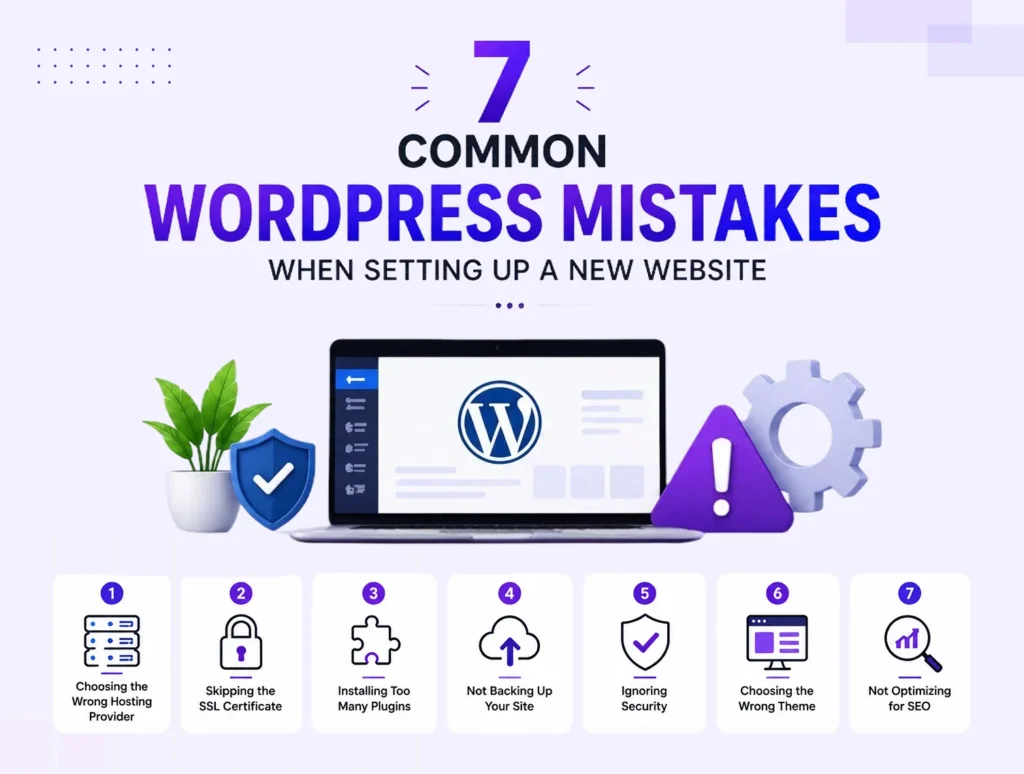
Common WordPress Mistakes That Hurt Your Website Performance
WordPress is one of the most powerful and flexible platforms for building business websites. However, simply creating a WordPress website does not guarantee success. Many website owners make common mistakes that negatively impact website speed, security, user experience, and search engine rankings.
A slow or poorly optimized website can lead to higher bounce rates, fewer conversions, and lost customers. Understanding these common WordPress mistakes can help you maintain a faster, safer, and more effective website.
At Adeel Web Solutions, we help businesses optimize WordPress websites to improve performance, security, and overall user experience.
1. Choosing Low-Quality Hosting
Your hosting provider plays a major role in your website’s performance. Many businesses choose the cheapest hosting option without considering speed, security, and reliability.
Poor hosting can cause:
- Slow page loading times
- Frequent downtime
- Poor server response time
- Security risks
- Limited scalability
A reliable WordPress hosting environment provides better performance and ensures your website can handle increasing traffic as your business grows.
2. Using Too Many Plugins
One of WordPress’s biggest advantages is its large collection of plugins. However, installing too many plugins can negatively affect your website.
Excessive plugins can cause:
- Slower loading speeds
- Plugin conflicts
- Security vulnerabilities
- Increased maintenance requirements
Instead of installing unnecessary plugins, choose lightweight, well-maintained solutions that provide the features your website actually needs.
3. Installing Poorly Coded Themes
A visually attractive theme does not always mean it is well-built. Some themes include unnecessary code, excessive features, and poor optimization that can slow down your website.
A poorly coded theme can affect:
- Website speed
- SEO performance
- Mobile responsiveness
- Security
- User experience
Choosing a professionally developed and optimized theme provides a stronger foundation for your website.
4. Ignoring Website Speed Optimization
Website speed is one of the most important factors affecting user experience and search rankings. Many WordPress websites become slow because they are not properly optimized.
Common causes of slow WordPress websites include:
- Large image files
- Unoptimized code
- Too many scripts
- Poor hosting
- Lack of caching
Performance improvements may include:
- Image compression
- Browser caching
- Database optimization
- Code optimization
- Content delivery network (CDN) setup
A faster website keeps visitors engaged and improves conversion opportunities.
5. Not Optimizing Images
High-quality images are important for a professional website, but large image files can significantly slow down your pages.
Common image-related mistakes include:
- Uploading images without compression
- Using incorrect file formats
- Uploading images larger than necessary
- Ignoring image optimization
Optimized images improve loading speed while maintaining visual quality.
6. Ignoring WordPress Updates
WordPress regularly releases updates to improve security, performance, and functionality. Failing to update WordPress, themes, and plugins can create problems.
Outdated software can lead to:
- Security vulnerabilities
- Compatibility issues
- Website errors
- Poor performance
Regular updates help keep your website secure and running smoothly.
7. Not Having a Backup System
Many website owners only think about backups after something goes wrong. Without regular backups, you risk losing important website data.
A proper backup strategy protects against:
- Website crashes
- Security attacks
- Plugin conflicts
- Server failures
- Accidental changes
Regular automated backups ensure your website can be restored quickly when needed.
8. Poor SEO Configuration
A beautiful website will not generate results if customers cannot find it online. Many WordPress websites fail to perform well because basic SEO settings are ignored.
Common SEO mistakes include:
- Missing meta titles and descriptions
- Poor heading structure
- Duplicate content
- Unoptimized images
- Missing internal links
- Incorrect URLs
Proper SEO setup helps search engines understand your website and improves visibility in search results.
9. Ignoring Mobile Optimization
Many visitors access websites from mobile devices. A website that works well on desktop but performs poorly on mobile can lose potential customers.
Common mobile issues include:
- Slow mobile loading speed
- Difficult navigation
- Small text
- Poorly designed buttons
- Broken layouts
A responsive WordPress website ensures a smooth experience across all devices.
10. Using Weak Security Practices
WordPress websites are frequent targets for cyber attacks. Weak security practices can put your website and customer data at risk.
Common security mistakes include:
- Using weak passwords
- Not limiting user access
- Ignoring security updates
- Installing unreliable plugins
- Not using security monitoring
Important security practices include:
- Strong passwords
- SSL certificates
- Regular updates
- Security plugins
- Malware monitoring
- Secure backups
11. Not Optimizing the Database
Over time, WordPress databases can collect unnecessary data, including:
- Old revisions
- Spam comments
- Temporary files
- Unused plugin data
A cluttered database can affect website performance.
Regular database optimization helps improve speed and keeps your website running efficiently.
12. Ignoring User Experience (UX)
Website performance is not only about technical speed. User experience also plays an important role in keeping visitors engaged.
Poor UX problems include:
- Confusing navigation
- Too much clutter
- Difficult contact processes
- Lack of clear calls-to-action
- Poor content organization
A user-friendly website helps visitors find information quickly and encourages them to take action.
13. Not Monitoring Website Performance
Many businesses launch a website and never check how it performs afterward. Regular monitoring helps identify problems before they affect customers.
Important performance areas to monitor include:
- Page speed
- Security issues
- Broken links
- Website uptime
- SEO performance
- User behavior
Continuous monitoring helps maintain a high-performing website.
How Adeel Web Solutions Helps Improve WordPress Website Performance
At Adeel Web Solutions, we help businesses build and optimize WordPress websites that deliver better speed, security, and user experience. Our team focuses on technical improvements, SEO optimization, responsive design, and ongoing maintenance to ensure websites perform at their best.
Whether your website needs speed optimization, security improvements, redesign, or complete WordPress development, we create solutions tailored to your business goals.
Final Thoughts
WordPress provides a powerful platform for businesses, but performance depends on how well the website is developed, maintained, and optimized. Avoiding common mistakes such as using poor hosting, excessive plugins, outdated software, and ignoring SEO can significantly improve your website’s success.
A properly optimized WordPress website loads faster, ranks better, provides a better user experience, and helps your business attract and convert more customers.
Investing in professional WordPress maintenance and optimization ensures your website remains secure, efficient, and ready to support your business growth.
