

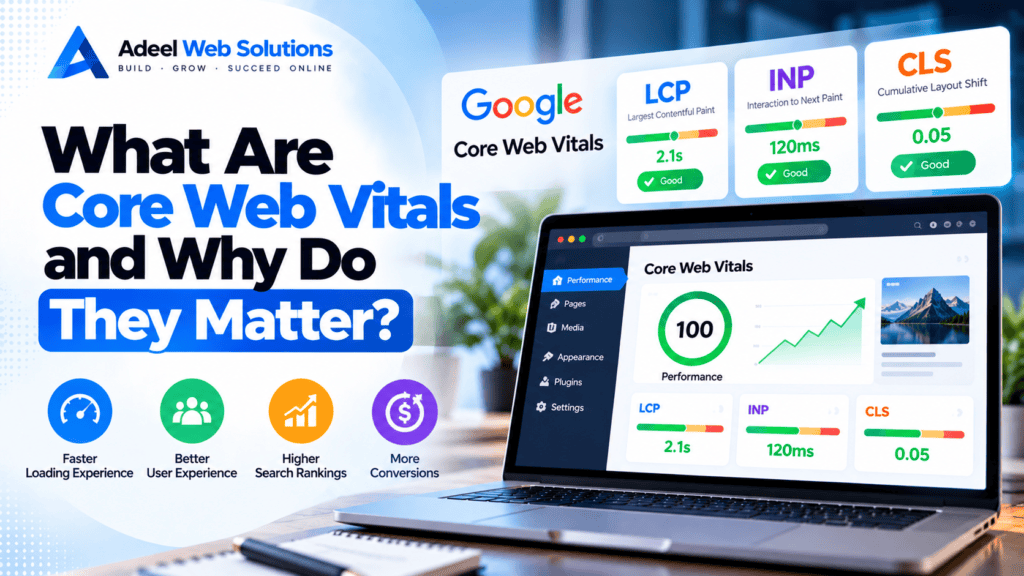
What Are Core Web Vitals and Why Do They Matter?
Website performance is about more than how quickly a page appears to load. A website also needs to become useful quickly, respond smoothly when visitors interact with it, and remain visually stable while content is loading.
To help measure these aspects of user experience, Google introduced a set of performance metrics known as Core Web Vitals.
Core Web Vitals focus on three important areas of the website experience: loading performance, responsiveness, and visual stability. They provide website owners and developers with measurable indicators that can help identify performance problems affecting real users.
For businesses, understanding Core Web Vitals is useful because poor website performance can create frustration, interfere with navigation, and make it harder for visitors to complete important actions such as submitting a form, booking an appointment, or purchasing a product.
In this guide, we’ll explain what Core Web Vitals are, how they are measured, why they matter, and what you can do to improve them.
What Are Core Web Vitals?
Core Web Vitals are a group of metrics created by Google to measure important aspects of webpage experience.
The three current Core Web Vitals are:
- Largest Contentful Paint (LCP) – measures loading performance.
- Interaction to Next Paint (INP) – measures responsiveness.
- Cumulative Layout Shift (CLS) – measures visual stability.
Together, these metrics help answer three practical questions:
How quickly does the important content appear?
How quickly does the website respond when someone interacts with it?
Does the page remain visually stable while it loads?
Understanding these metrics can help developers move beyond a simple “fast or slow” assessment and identify specific areas that need improvement.
1. Largest Contentful Paint (LCP)
Largest Contentful Paint, commonly called LCP, measures loading performance.
More specifically, it measures how long it takes for the largest relevant content element within the visible viewport to render.
Depending on the page, the LCP element could be:
- A hero image
- A large heading
- A banner
- A featured image
- A large text block
- Another prominent content element
For many business websites, the hero image is frequently the LCP element.
What Is a Good LCP?
Google’s guidance considers an LCP of 2.5 seconds or less good.
An LCP between 2.5 and 4 seconds indicates that improvement may be needed, while an LCP above 4 seconds is considered poor.
The measurement should be considered at the 75th percentile of page loads, separated across mobile and desktop experiences.
What Causes Poor LCP?
Several issues can contribute to a slow LCP:
- Slow server response
- Oversized hero images
- Unoptimized images
- Render-blocking CSS
- Heavy JavaScript
- Slow web fonts
- Poor caching
- Excessive page-builder code
- Third-party scripts
- Slow hosting
A website may visually appear relatively simple while still having a poor LCP because the browser must process many resources before displaying the primary content.
How to Improve LCP
Improving LCP usually requires identifying the actual LCP element first.
Once identified, possible improvements include:
- Compressing the hero image
- Resizing oversized images
- Using WebP or AVIF where appropriate
- Avoiding unnecessary lazy loading on the LCP image
- Improving hosting performance
- Configuring page caching
- Reducing render-blocking resources
- Optimizing critical CSS
- Reducing unnecessary JavaScript
- Optimizing fonts
- Using a CDN when appropriate
The correct solution depends on what is causing the delay.
For example, installing another caching plugin will not necessarily solve an LCP problem caused by a massive hero image.
2. Interaction to Next Paint (INP)
Interaction to Next Paint, or INP, measures how responsive a webpage is when a visitor interacts with it.
Visitors interact with websites constantly.
They may:
- Click navigation links
- Open mobile menus
- Select tabs
- Use product filters
- Open accordions
- Click buttons
- Add products to a cart
- Change product variations
A website may look completely loaded but still feel slow if it takes too long to respond to these interactions.
INP helps identify this type of problem.
What Is a Good INP?
Google considers an INP of 200 milliseconds or less good.
Between 200 and 500 milliseconds indicates room for improvement, while an INP above 500 milliseconds is considered poor.
Again, evaluation is generally based on the 75th percentile of page loads.
What Causes Poor INP?
Poor interaction responsiveness is often associated with excessive work happening in the browser.
Potential causes include:
- Heavy JavaScript
- Long JavaScript tasks
- Complex event handlers
- Large DOM structures
- Excessive third-party scripts
- Heavy page-builder functionality
- Complicated animations
- Resource-intensive product filters
- Poorly optimized interactive components
When the browser’s main thread is busy processing other work, it may not be able to respond immediately to a visitor’s interaction.
How to Improve INP
Possible improvements include:
- Reduce unnecessary JavaScript.
- Break up long JavaScript tasks.
- Remove unused scripts.
- Delay non-critical third-party scripts.
- Simplify complex page structures.
- Reduce excessive DOM size.
- Optimize event handlers.
- Reduce unnecessary animations.
- Review heavy plugins.
- Optimize interactive components.
WordPress websites should pay particular attention to plugins and page-builder add-ons that load significant JavaScript across the entire website.
3. Cumulative Layout Shift (CLS)
Cumulative Layout Shift, or CLS, measures visual stability.
Have you ever tried to click a button only for the page to suddenly move and cause you to click something else?
That is the type of experience CLS is designed to measure.
Unexpected movement can happen when elements load without properly reserved space.
What Is a Good CLS Score?
Google considers a CLS score of 0.1 or less good.
A score between 0.1 and 0.25 indicates room for improvement, while a score above 0.25 is considered poor.
Unlike LCP and INP, CLS is not measured in seconds or milliseconds.
What Causes Layout Shifts?
Common causes include:
- Images without dimensions
- Advertisements loading dynamically
- Embedded content without reserved space
- Late-loading banners
- Cookie notices inserted into existing layouts
- Web fonts changing text dimensions
- Dynamically inserted content
- Third-party widgets
- Sliders or carousels
- Popups that alter page structure
Layout shifts are particularly frustrating on mobile devices because smaller screens leave less room for unexpected movement.
How to Improve CLS
Possible solutions include:
- Define image dimensions.
- Reserve space for videos and embeds.
- Reserve space for advertisements.
- Avoid inserting content above existing content unexpectedly.
- Optimize font loading.
- Use appropriate placeholders.
- Configure dynamic components carefully.
- Test banners and notification bars.
- Review third-party widgets.
The goal is to help the browser understand how much space each element requires before everything finishes loading.
LCP vs INP vs CLS
The easiest way to understand Core Web Vitals is to associate each metric with a specific part of the user experience.
| Core Web Vital | Measures | Good Threshold |
|---|---|---|
| LCP | Loading performance | ≤ 2.5 seconds |
| INP | Interaction responsiveness | ≤ 200 milliseconds |
| CLS | Visual stability | ≤ 0.1 |
A website should ideally perform well across all three metrics.
For example, a page could have a good LCP but poor INP because heavy JavaScript makes buttons slow to respond.
Another website could load quickly and respond instantly but have poor CLS because content constantly shifts during loading.
This is why website performance should not be judged using a single metric.
What Happened to First Input Delay (FID)?
If you’ve researched Core Web Vitals before, you may remember a metric called First Input Delay (FID).
FID was previously used to measure interaction responsiveness.
Google replaced FID with Interaction to Next Paint (INP) as a Core Web Vital in 2024.
INP provides a broader assessment of page responsiveness because it considers interactions throughout the user’s visit rather than focusing only on the first interaction.
Therefore, current Core Web Vitals optimization should focus on:
LCP + INP + CLS
rather than the older LCP + FID + CLS combination.
Why Do Core Web Vitals Matter?
Core Web Vitals matter because they provide measurable indicators of experiences that visitors actually notice.
A user may not know what LCP means, but they notice when the main content takes too long to appear.
They may never have heard of INP, but they notice when clicking a menu produces a delayed response.
They probably don’t know what CLS stands for, but they notice when buttons and text suddenly move around the screen.
Core Web Vitals turn these experiences into measurable performance signals.
Core Web Vitals and User Experience
Good website performance reduces friction.
Consider a visitor looking for a local service.
They open the website and immediately see the main headline and service information.
They tap the menu, and it responds quickly.
They scroll down and click Request a Quote without the button unexpectedly moving.
This feels normal—and that is exactly the point.
Good performance often goes unnoticed because everything simply works as expected.
Poor performance becomes noticeable when it interrupts the customer journey.
Do Core Web Vitals Affect SEO?
Core Web Vitals are part of Google’s broader page experience considerations.
However, they should not be treated as a standalone SEO strategy or a guarantee of higher rankings.
Search performance depends on many factors, including:
- Content relevance
- Content quality
- Search intent
- Website structure
- Crawlability
- Links
- Technical SEO
- Mobile usability
- Page experience
A website with excellent Core Web Vitals but irrelevant or low-quality content will not automatically outrank a more useful result.
The best approach is to combine good performance with valuable content and a strong overall SEO strategy.
Core Web Vitals and Mobile Websites
Mobile performance deserves special attention.
A website may perform extremely well on a powerful desktop computer while providing a poor experience on a mid-range smartphone.
Mobile users may have:
- Slower processors
- Less memory
- Slower network connections
- Smaller screens
- Different browsing conditions
Heavy JavaScript, oversized images, and complex animations can become much more noticeable under these conditions.
Always evaluate Core Web Vitals with mobile visitors in mind.
Core Web Vitals and WordPress
WordPress websites can achieve good Core Web Vitals, but performance depends heavily on how the site is built and maintained.
Common WordPress problems include:
- Heavy themes
- Too many unnecessary plugins
- Page-builder bloat
- Oversized images
- Poor hosting
- No caching
- Large databases
- Excessive third-party scripts
- Heavy sliders
- Too many animations
WordPress itself is not necessarily the problem.
A carefully developed WordPress website with good hosting, efficient plugins, optimized images, and sensible caching can provide strong performance.
Core Web Vitals and Elementor
Elementor provides powerful visual design capabilities, but complex layouts can create unnecessary browser work if they are not built carefully.
When optimizing Elementor websites:
- Reduce unnecessary nested containers.
- Remove unused widgets.
- Optimize background images.
- Avoid excessive animations.
- Reduce unnecessary Elementor add-ons.
- Simplify hero sections.
- Review sliders and carousels.
- Limit third-party scripts.
- Optimize mobile layouts.
The objective is not to stop using Elementor.
Instead, build Elementor pages efficiently.
Core Web Vitals for WooCommerce
WooCommerce websites present additional performance challenges because they contain dynamic functionality.
Important pages include:
- Product categories
- Product pages
- Search results
- Shopping carts
- Checkout
- Customer accounts
WooCommerce websites may also include:
- Product filters
- Product variations
- Reviews
- Recommendation engines
- Payment gateways
- Shipping calculators
- Tracking scripts
These features can increase browser and server workload.
Performance optimization should therefore focus on the complete shopping journey rather than only the homepage.
How to Check Your Core Web Vitals
Several tools can help you evaluate Core Web Vitals.
Google PageSpeed Insights
PageSpeed Insights is one of the most accessible options.
It can provide both real-user data when sufficient data is available and laboratory testing information.
Google Search Console
Search Console can help website owners identify groups of URLs experiencing Core Web Vitals problems based on available field data.
This can be useful for identifying problems affecting multiple pages.
Chrome DevTools
Developers can use Chrome DevTools to investigate performance problems in greater detail.
Lighthouse
Lighthouse provides laboratory-based performance testing and diagnostic recommendations.
Using several tools can provide a more complete understanding of your website.
Field Data vs Lab Data
One important concept when evaluating Core Web Vitals is the difference between field data and lab data.
Field Data
Field data represents performance experienced by real users under different devices, networks, and conditions.
Lab Data
Lab data is collected in a controlled testing environment.
Lab testing is extremely useful for debugging because you can repeatedly test changes under similar conditions.
However, real-user data helps you understand how the website actually performs for visitors.
Both are useful, but they serve different purposes.
Why Your PageSpeed Score Can Change
Website owners sometimes become concerned when performance scores change between tests.
Variation can happen because of:
- Network conditions
- Server load
- Third-party services
- Testing conditions
- Caching
- Dynamic content
Do not make major website decisions based on one isolated test.
Run several tests and look for consistent patterns.
More importantly, identify the actual performance issues rather than focusing only on the headline score.
Common Core Web Vitals Problems
Some of the most frequent problems include:
LCP Problems
- Oversized hero images
- Slow hosting
- Poor caching
- Render-blocking resources
- Slow fonts
INP Problems
- Heavy JavaScript
- Excessive third-party scripts
- Complex DOM structures
- Resource-heavy plugins
- Too many interactive effects
CLS Problems
- Images without reserved dimensions
- Dynamic banners
- Late-loading fonts
- Ads without reserved space
- Third-party widgets
Knowing which metric is failing makes it easier to identify an appropriate solution.
Core Web Vitals Optimization Checklist
Use this checklist when reviewing your website:
- Test important pages with PageSpeed Insights
- Review available field data
- Check mobile and desktop separately
- Identify the LCP element
- Optimize large hero images
- Improve server response time
- Configure caching
- Consider a CDN
- Reduce render-blocking resources
- Optimize web fonts
- Remove unnecessary JavaScript
- Reduce third-party scripts
- Simplify complex DOM structures
- Review WordPress plugins
- Optimize Elementor layouts
- Define image dimensions
- Reserve space for dynamic content
- Optimize embedded videos
- Test mobile navigation
- Review WooCommerce functionality
- Monitor performance after updates
- Retest after major website changes
Don’t Chase a Perfect Performance Score
Performance testing tools are valuable, but achieving a perfect score should not become the only objective.
A real business website may require:
- Contact forms
- Analytics
- Booking systems
- Payment gateways
- CRM integrations
- Maps
- Videos
- Review platforms
- Advertising tracking
These tools may add some performance cost while still providing genuine business value.
The goal should be to create an appropriate balance between:
Performance + Functionality + Design + User Experience + Business Requirements
A website that performs well and successfully supports customers is more useful than one optimized solely for a testing score.
How Often Should You Check Core Web Vitals?
Core Web Vitals should be monitored regularly because website performance can change.
Problems may appear after:
- Installing a new plugin
- Changing themes
- Adding marketing scripts
- Uploading large images
- Adding videos
- Redesigning pages
- Changing hosting
- Updating WordPress
- Adding new functionality
For important business websites, performance should also be reviewed after major development or marketing changes.
Final Thoughts
Core Web Vitals provide a useful framework for understanding website performance from a visitor’s perspective.
The three metrics focus on different parts of the experience:
LCP measures how quickly important content loads.
INP measures how responsive the website feels during interactions.
CLS measures whether the page remains visually stable.
Improving these metrics can contribute to a faster, smoother, and more professional website experience.
However, Core Web Vitals should not be viewed in isolation. Strong website performance also depends on good hosting, optimized images, efficient development, appropriate caching, mobile-friendly design, useful content, and regular maintenance.
Start by measuring your current performance, identify the specific problems affecting your pages, and prioritize improvements that create meaningful benefits for real visitors.
Need Help Improving Your Core Web Vitals?
If your website has poor Core Web Vitals, slow loading times, mobile performance problems, or WordPress optimization issues, a professional performance audit can help identify the underlying causes.
At Adeel Web Solutions, we help businesses improve website speed, WordPress performance, Core Web Vitals, responsive design, image optimization, and overall user experience.
Whether your website needs technical performance improvements, WordPress optimization, Elementor cleanup, or a complete redesign, we can help create a faster and more efficient website.
Contact Adeel Web Solutions today to discuss your website performance and Core Web Vitals optimization requirements.
