

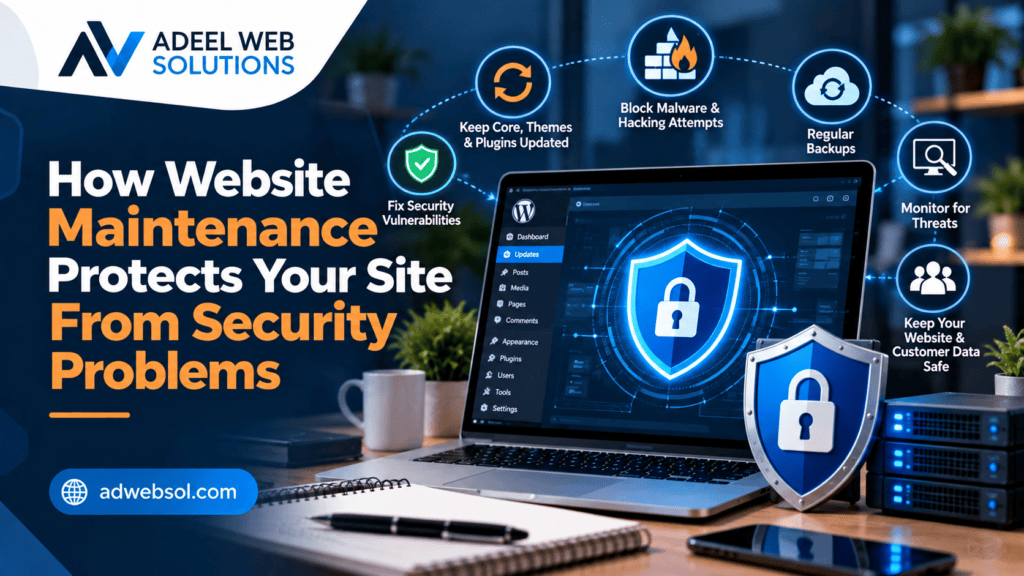
How Website Maintenance Protects Your Site From Security Problems
A business website is more than an online brochure. It may contain contact forms, customer information, administrative accounts, payment functionality, databases, plugins, integrations, and other systems that need ongoing protection.
Unfortunately, website security is not something that can be configured once and forgotten.
Software changes constantly. New vulnerabilities are discovered, plugins become outdated, passwords can be compromised, old user accounts remain active, and third-party integrations can change. Without regular maintenance, these issues can gradually increase the security risks facing a website.
This is where website maintenance becomes essential.
Regular website maintenance helps businesses keep software current, monitor suspicious activity, maintain reliable backups, remove unnecessary components, review access permissions, and identify technical problems before they become more serious.
No maintenance strategy can guarantee that a website will never experience a security incident. However, consistent maintenance can significantly reduce many avoidable risks and improve your ability to recover when something goes wrong.
Here is how website maintenance helps protect your site from security problems.
What Is Website Security Maintenance?
Website security maintenance is the ongoing process of reviewing, updating, monitoring, and protecting the technical systems that support a website.
It can include tasks such as:
- Updating website software
- Updating plugins and themes
- Monitoring suspicious activity
- Reviewing administrator accounts
- Maintaining backups
- Checking SSL/HTTPS
- Removing unused software
- Reviewing file permissions
- Testing website functionality
- Monitoring unexpected changes
- Reviewing security configurations
The exact requirements depend on your website.
A small informational website may require a relatively straightforward maintenance process, while an e-commerce store, membership website, or custom web application may require more extensive monitoring.
Why Websites Develop Security Risks Over Time
Websites are built using technologies that continue changing after launch.
A WordPress website, for example, may depend on:
- WordPress core
- Themes
- Plugins
- PHP
- Database software
- Hosting infrastructure
- Third-party APIs
Security vulnerabilities can be discovered in any software.
When developers identify a vulnerability, they may release an update that addresses the problem.
If website owners ignore updates for long periods, their sites may continue running older versions containing known security weaknesses.
Regular maintenance helps reduce this exposure.
1. Regular Updates Help Address Known Vulnerabilities
Keeping software updated is one of the most important security maintenance tasks.
Updates can contain:
- Security patches
- Bug fixes
- Compatibility improvements
- Performance improvements
- Feature changes
When an update includes a security fix, delaying it unnecessarily may leave the website exposed to a known problem.
For WordPress websites, businesses should regularly review updates for:
- WordPress core
- Themes
- Plugins
- WooCommerce
- Page builders
- Security plugins
Updates should still be handled carefully because software changes can occasionally create compatibility problems.
For important websites, it is good practice to have a current backup before applying significant updates.
2. Maintenance Helps Remove Outdated Plugins and Themes
Many WordPress websites accumulate unused software over time.
A business may install several plugins while testing different functionality and later stop using some of them.
Simply deactivating unnecessary software is not always the best long-term approach.
Unused plugins and themes can increase:
- Maintenance requirements
- Technical complexity
- Potential attack surface
- Compatibility concerns
If a plugin or theme is no longer required, it should generally be reviewed and removed when safe to do so.
Businesses should also be cautious about software that is no longer actively maintained by its developer.
Regular maintenance provides an opportunity to identify outdated or abandoned components and replace them when necessary.
3. Website Maintenance Helps Protect Administrator Accounts
Administrative accounts provide powerful access to a website.
If an unauthorized person gains access to an administrator account, they may be able to:
- Change website content
- Install software
- Create additional users
- Modify settings
- Access website information
- Redirect visitors
Regular maintenance should therefore include reviewing user accounts and permissions.
Check whether former employees, developers, agencies, or contractors still have access.
If access is no longer required, remove or appropriately restrict the account.
Administrative privileges should generally be given only to people who genuinely need them.
4. Strong Password Practices Reduce Account Risk
Weak or reused passwords can create unnecessary security risks.
Important website-related accounts should use strong, unique passwords.
This includes:
- WordPress administrators
- Hosting accounts
- Domain registrar accounts
- Business email
- Database administration
- CDN accounts
- Other connected platforms
Avoid reusing the same password across multiple important systems.
Where available, multi-factor authentication can add another layer of account protection.
Regular security maintenance should include reviewing authentication practices, particularly when team members or external developers change.
5. Regular Backups Provide a Recovery Option
Backups do not prevent attacks, but they are an essential part of security preparedness.
If a website becomes damaged or compromised, a reliable backup may provide a path to recovery.
Backups may protect against:
- Malicious changes
- File corruption
- Failed updates
- Accidental deletion
- Database problems
- Development errors
A complete website backup may include:
- Website files
- Database
- Media
- Configuration files
- Custom code
The appropriate backup frequency depends on how often your website changes.
A busy e-commerce store may need a different strategy from a mostly static company website.
6. Backups Need to Be Verified
Simply installing a backup plugin is not enough.
Businesses should confirm that backups are actually being created and that the storage destination is accessible.
Where practical, restoration procedures should also be tested.
A backup that is incomplete, corrupted, outdated, or inaccessible may not help during an emergency.
It is also useful to consider storing backups separately from the primary website environment.
If every backup exists only on the same compromised server, recovery options may be more limited.
7. Security Monitoring Can Detect Suspicious Activity
Security problems are easier to address when they are identified quickly.
Website monitoring can help identify suspicious events such as:
- Repeated failed login attempts
- Unexpected administrator accounts
- Unusual file changes
- Malware warnings
- Unexpected redirects
- Modified website content
- Suspicious traffic patterns
Not every unusual event indicates an attack, but monitoring gives website owners more information about what is happening.
Security tools can sometimes provide alerts when suspicious activity is detected.
These alerts should be reviewed rather than ignored.
8. Website Maintenance Helps Detect Malware
Malware can affect a website in different ways.
A compromised website might:
- Redirect visitors
- Display unwanted content
- Inject spam links
- Create unauthorized files
- Modify legitimate files
- Send unwanted email
- Create additional accounts
Some compromises are obvious, while others are designed to remain unnoticed.
Regular security scanning and file monitoring can help identify suspicious changes.
If malware is discovered, simply deleting one suspicious file may not solve the underlying problem.
The source of the compromise should also be investigated.
Otherwise, the website may become infected again.
9. Maintenance Helps Keep SSL and HTTPS Working
HTTPS helps encrypt information transmitted between a visitor’s browser and your website.
Business websites should generally use HTTPS.
SSL/TLS certificates are often renewed automatically, but problems can occur.
Maintenance checks can verify that:
- The certificate remains valid
- HTTPS works correctly
- HTTP redirects to HTTPS
- Website resources load securely
- Visitors do not receive certificate warnings
HTTPS is only one part of website security, but it is an important foundation.
10. File Permissions Should Be Reviewed
Website files and directories require appropriate permissions.
Permissions determine which users or processes can read, modify, or execute particular files.
Permissions that are unnecessarily broad can create security concerns.
Website maintenance may include reviewing:
- File ownership
- Directory permissions
- Configuration files
- Sensitive files
- Server-level access
These settings should be changed carefully because incorrect permissions can also cause website functionality to stop working.
11. Database Security Needs Ongoing Attention
Many websites rely on databases to store important information.
Depending on the website, this might include:
- Website content
- User accounts
- Orders
- Form submissions
- Customer information
- Website settings
Database security can involve:
- Strong credentials
- Restricted access
- Appropriate permissions
- Secure queries
- Software updates
- Regular backups
- Monitoring
Developers should also use secure coding practices to reduce risks associated with malicious database queries.
Database access should not be exposed unnecessarily.
12. Maintenance Helps Reduce Spam and Automated Abuse
Business websites frequently receive automated traffic.
This can include:
- Contact form spam
- Fake registrations
- Automated login attempts
- Comment spam
- Bot traffic
Regular maintenance can help businesses adjust anti-spam measures as patterns change.
Depending on the website, protection may include:
- CAPTCHA or alternative verification
- Rate limiting
- Form validation
- Spam filtering
- Login protection
- Comment moderation
These systems should be configured carefully so they do not unnecessarily block legitimate customers.
13. Contact Forms Need Security Maintenance Too
Forms accept information directly from website visitors, which means they need to be developed and maintained carefully.
Security considerations may include:
- Input validation
- Sanitization
- Spam protection
- Secure processing
- Appropriate data storage
- Software updates
Businesses should also avoid collecting unnecessary sensitive information through standard website forms.
If information does not need to be collected, there is usually little benefit in creating additional responsibility for protecting it.
14. E-Commerce Websites Require Additional Security Attention
E-commerce websites often require more extensive maintenance because they contain complex functionality and connect with payment services.
Regular maintenance should review:
- WooCommerce or other e-commerce software
- Payment integrations
- Checkout functionality
- Customer accounts
- Plugins
- Themes
- Order notifications
- SSL/HTTPS
- Backups
Payment systems should be implemented according to the requirements of the payment provider and applicable security standards.
Businesses should avoid unnecessarily storing sensitive payment information directly on their own website when established payment solutions can handle it appropriately.
15. API Integrations Need to Be Maintained
Websites increasingly connect to external platforms through APIs.
These may include:
- CRM systems
- Payment services
- Booking platforms
- Email marketing software
- Accounting systems
- Shipping services
API integrations may rely on credentials such as API keys or access tokens.
These credentials should be handled securely and should not be exposed unnecessarily in public frontend code.
Businesses should also review access when an integration is no longer used.
Unused API credentials should be revoked where appropriate.
16. Hosting Security Is Part of Website Maintenance
Website security is not limited to WordPress or application code.
Hosting infrastructure also matters.
Depending on your hosting environment, maintenance may involve:
- Server software updates
- PHP version management
- Firewall configuration
- Malware scanning
- Backup systems
- Access controls
- Logging
- Resource monitoring
Managed hosting providers may handle some of these responsibilities, while other hosting environments require more direct administration.
Businesses should understand which security responsibilities belong to the hosting provider and which remain their own.
17. Maintenance Helps Identify Unauthorized Changes
One warning sign of a compromised website is content changing without authorization.
Examples include:
- Unknown pages
- Spam articles
- Modified links
- New administrator accounts
- Unexpected scripts
- Redirects to other websites
Regular website reviews can help identify these changes.
Automated file-integrity monitoring can also be useful on certain websites by highlighting files that have changed unexpectedly.
Not every file change is malicious, so alerts should be investigated rather than treated as automatic proof of compromise.
18. Security Logs Can Provide Useful Information
Logs can help developers understand what has happened on a website or server.
Depending on the system, logs may record:
- Login attempts
- Application errors
- Server requests
- Security events
- Administrative changes
When a security incident occurs, logs can sometimes help determine when suspicious activity began and what systems were affected.
Log management should also consider privacy, storage, and retention requirements.
19. Regular Maintenance Helps Keep Security Tools Effective
Installing a security plugin or firewall does not mean website security is finished.
Security tools themselves require:
- Updates
- Configuration reviews
- Alert monitoring
- Compatibility checks
A security plugin that is installed but ignored may provide less value than expected.
Maintenance ensures that security tools remain active, updated, and appropriately configured.
20. Maintenance Helps You Respond Faster to Security Problems
Security incidents can still happen even when good practices are followed.
What matters is having a response plan.
Businesses should know:
- Where backups are stored
- Who has administrative access
- Who manages hosting
- Who manages the domain
- Who should be contacted if the website is compromised
If an incident occurs, a structured response may involve:
Restrict Access → Investigate → Identify the Cause → Remove Malicious Changes → Patch the Vulnerability → Restore Where Appropriate → Reset Credentials → Test → Monitor
The exact response depends on the nature of the incident.
Having accurate backups, current software, and documented access information can make recovery easier.
Warning Signs Your Website May Have a Security Problem
Businesses should investigate unusual website behavior rather than ignoring it.
Possible warning signs include:
- Unexpected redirects
- Unknown administrator accounts
- Unexplained website changes
- Security warnings
- Strange pages appearing in search results
- Unexpected files
- Large increases in server resource usage
- Emails being sent without authorization
- Website downtime
- Malware warnings from browsers or security tools
These symptoms can have different causes and do not automatically prove that a website has been hacked.
However, they are reasons to investigate promptly.
Common Website Security Maintenance Mistakes
Several mistakes can increase unnecessary risk.
Ignoring Software Updates
Outdated software can contain known vulnerabilities.
Using Too Many Unnecessary Plugins
Every additional plugin creates another component that needs to be maintained.
Keeping Old Administrator Accounts
Access should be removed when it is no longer needed.
Reusing Passwords
A password compromised on one service can create problems elsewhere when the same credentials are reused.
Keeping Backups Only on the Website Server
Separate backup storage can provide better recovery options.
Installing Security Tools and Never Checking Them
Security alerts and configurations need ongoing attention.
Assuming Small Websites Are Not Targeted
Automated attacks frequently scan large numbers of websites rather than selecting only major companies.
Businesses of different sizes therefore need appropriate security practices.
Website Maintenance and WordPress Security
WordPress is a flexible platform, but its websites need regular maintenance.
A practical WordPress security maintenance routine can include:
- Update WordPress core
- Update themes
- Update plugins
- Remove unused software
- Maintain backups
- Review administrator accounts
- Use strong authentication
- Monitor suspicious activity
- Check SSL
- Test important website functionality
WordPress itself is only one part of the environment.
Themes, plugins, hosting, custom code, passwords, and administrator practices all contribute to the overall security posture.
Website Maintenance Is Preventive Protection
One of the most important benefits of maintenance is prevention.
Businesses should not wait for a website to become compromised before thinking about security.
Preventive maintenance helps identify:
- Outdated software
- Unused accounts
- Unnecessary plugins
- Failed backups
- Expired certificates
- Suspicious activity
- Configuration problems
Addressing these issues earlier can reduce the likelihood that they develop into larger problems.
Protect Your Business Website With Regular Maintenance
Your website represents your business online and may support enquiries, sales, bookings, customer accounts, and other important operations.
Protecting it requires more than installing a security plugin.
Regular website maintenance combines updates, backups, monitoring, access management, security reviews, and technical testing to create a stronger security foundation.
At Adeel Web Solutions, we provide professional website maintenance, WordPress maintenance, website security, malware troubleshooting, backups, updates, performance optimization, and ongoing technical support.
Whether you operate a small business website, WordPress website, or e-commerce store, we can help maintain your website and reduce avoidable security risks.
Need help keeping your website secure and properly maintained?
Contact Adeel Web Solutions to discuss your website maintenance and security requirements.
