

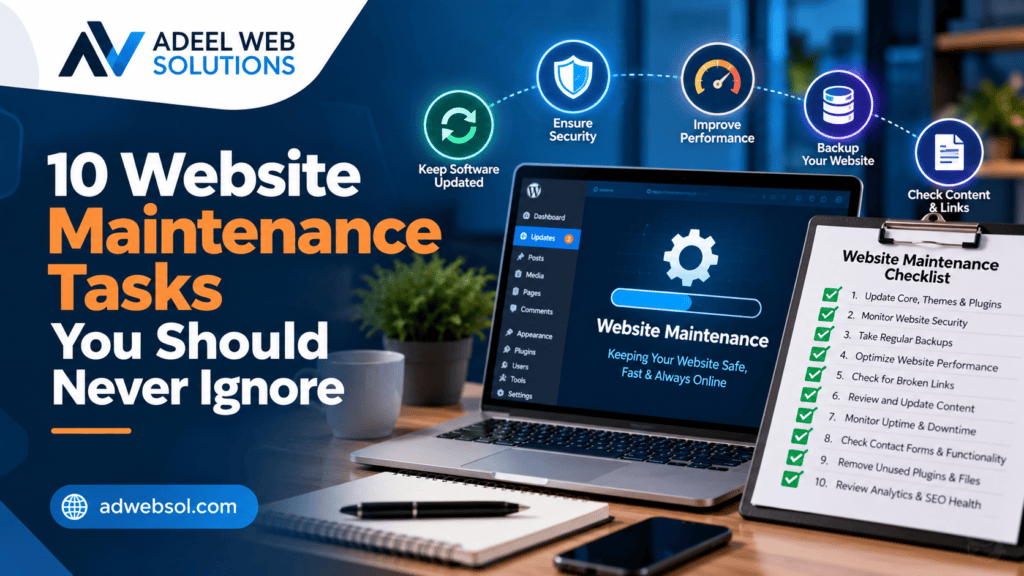
10 Website Maintenance Tasks You Should Never Ignore
Building and launching a professional website is an important investment, but keeping it running properly requires ongoing attention. Websites are not systems that should be created once and then ignored for years.
Software changes, security vulnerabilities are discovered, plugins receive updates, content becomes outdated, links can break, and website performance may decline over time.
For businesses that depend on their websites for enquiries, bookings, online sales, or customer information, even a small technical issue can create unnecessary problems.
Regular website maintenance helps keep your website secure, functional, fast, accurate, and easy to use.
While maintenance requirements vary depending on the website, there are several important tasks that businesses should consistently monitor.
Here are 10 website maintenance tasks you should never ignore.
1. Keep Your Website Software Updated
One of the most important website maintenance tasks is keeping your software up to date.
Modern websites often use multiple technologies and software components. A WordPress website, for example, may rely on:
- WordPress core
- Themes
- Plugins
- Page builders
- E-commerce extensions
- PHP
- Third-party integrations
Developers release updates for many reasons, including security improvements, bug fixes, compatibility changes, and new functionality.
Leaving software outdated for long periods can create security and compatibility risks.
WordPress Updates
If your website uses WordPress, regularly check for updates to:
- WordPress core
- Active theme
- Plugins
- WooCommerce
- Page builders
- Security tools
Unused plugins and themes should also be reviewed and removed when they are no longer required.
However, updates should be handled carefully.
A plugin update can occasionally conflict with another plugin, theme, or custom code.
For important websites, a safer process is:
Backup → Review Updates → Apply Updates → Clear Cache → Test Website
More complex websites may benefit from testing significant updates in a staging environment before applying them to the live site.
2. Create and Verify Regular Website Backups
Backups are essential because unexpected problems can occur even on professionally managed websites.
A website can experience issues because of:
- Failed updates
- Human error
- File corruption
- Hosting problems
- Security incidents
- Database problems
- Accidental deletion
- Development mistakes
A recent backup gives you a recovery option.
What Should Be Backed Up?
Depending on your website, backups may need to include:
- Website files
- Database
- Images and media
- Themes
- Plugins
- Custom code
- Important configurations
The appropriate backup frequency depends on how often your website changes.
A simple business website may not require the same schedule as an e-commerce website processing orders every day.
Don’t Just Create Backups—Verify Them
One commonly overlooked maintenance task is verifying that backups actually work.
A backup is only valuable if it can be restored successfully.
Periodically review your backup system and make sure recent backups are being created as expected.
3. Monitor Website Security
Website security should be an ongoing process rather than a one-time configuration.
Businesses should regularly review their websites for suspicious behavior and unnecessary security risks.
Security maintenance can include:
- Keeping software updated
- Using strong passwords
- Reviewing administrator accounts
- Removing unused users
- Monitoring suspicious login attempts
- Reviewing file changes where appropriate
- Maintaining appropriate permissions
- Checking security logs
- Using HTTPS
- Reviewing plugins and extensions
Remove Unnecessary Accounts
Old administrator accounts can create unnecessary access points.
If an employee, developer, or agency no longer requires access, their account should be reviewed and removed or disabled as appropriate.
Administrator access should generally be limited to people who actually need it.
Use Strong Authentication
Strong, unique passwords should be used for:
- WordPress
- Hosting
- Domain registrar
- Database administration
- Other connected services
Multi-factor authentication can provide an additional layer of protection where supported.
No website can be guaranteed to be completely secure, but consistent security maintenance can reduce avoidable risks.
4. Test Your Contact Forms
A website contact form can stop working while the rest of the website appears completely normal.
This is particularly dangerous for businesses that rely on website enquiries.
A customer may complete the form, click Submit, and assume the message has been delivered.
If the email notification fails, the business may never know the enquiry existed.
Why Contact Forms Can Stop Working
Form problems may be caused by:
- Plugin updates
- Email configuration
- SMTP issues
- Spam filters
- CAPTCHA problems
- Server changes
- Integration failures
- JavaScript errors
Regularly submit test enquiries through your important forms.
Check that:
- The form submits successfully
- Required fields work
- Confirmation messages appear
- Notifications reach the correct email
- Auto-responses work where applicable
- CRM integrations receive the lead
For lead-generation websites, form testing should be considered a critical maintenance task.
5. Check for Broken Links and 404 Errors
Links can break as websites change.
You may delete a page, change a URL, remove a product, reorganize content, or link to an external page that later disappears.
Visitors who click these links may reach a 404 Page Not Found error.
Too many broken links can create a frustrating experience and make a website feel poorly maintained.
Check Internal Links
Internal links connect pages within your own website.
Examples include:
- Service links
- Blog links
- Navigation links
- CTA buttons
- Footer links
- Image links
If you change a page URL, review the internal links pointing to the previous address.
Check External Links
External websites also change their URLs or remove content.
Periodically review important external links and replace outdated resources where appropriate.
Use Redirects Carefully
When a page is permanently moved and there is a relevant replacement, a 301 redirect may be appropriate.
Avoid automatically redirecting every deleted page to the homepage. Redirect users to the most relevant replacement whenever possible.
6. Monitor and Improve Website Speed
Website performance can gradually decline.
You may continue adding:
- Images
- Plugins
- Videos
- Tracking scripts
- Fonts
- Marketing tools
- Third-party integrations
Each addition can potentially affect performance.
Regular performance reviews can help identify problems before they become severe.
Common Performance Maintenance Tasks
These may include:
- Compressing images
- Using appropriately sized images
- Reviewing unnecessary plugins
- Configuring caching
- Optimizing databases
- Reducing unnecessary scripts
- Reviewing third-party resources
- Optimizing CSS and JavaScript
- Checking hosting resources
- Reviewing server response times
Don’t Optimize Only the Homepage
A common mistake is testing only the homepage.
You should also check important pages such as:
- Service pages
- Product pages
- Landing pages
- Contact page
- Checkout
- Blog articles
Different pages can have very different performance characteristics.
7. Review and Update Website Content
Technical maintenance is important, but content maintenance should not be ignored.
Business information changes over time.
Your website may contain outdated:
- Phone numbers
- Email addresses
- Business hours
- Staff information
- Prices
- Services
- Policies
- Product details
- Locations
- Promotions
Incorrect information can create confusion and reduce customer confidence.
Review Your Most Important Pages
Pay particular attention to:
- Homepage
- About page
- Service pages
- Contact page
- Pricing pages
- Location pages
- Product pages
Make sure the content accurately represents your current business.
Update Older Articles
Older blog articles may also benefit from periodic reviews.
You may need to:
- Correct outdated information
- Replace broken links
- Add newer information
- Improve formatting
- Add relevant internal links
- Update outdated screenshots or images
Maintaining useful content can improve the overall quality of your website.
8. Check Mobile Responsiveness and Browser Compatibility
Your website should work properly across different devices.
A layout that looks perfect on a desktop monitor may have problems on a smartphone.
Website updates can sometimes introduce responsive design issues.
Common problems include:
- Horizontal scrolling
- Oversized headings
- Overlapping text
- Broken columns
- Images outside containers
- Tiny buttons
- Difficult navigation
- Forms that do not fit the screen
- Excessive spacing
Test Important Mobile Actions
Don’t simply check whether the homepage opens on a phone.
Test whether users can actually:
- Open the menu
- Navigate between pages
- Click buttons
- Complete forms
- Call your business
- View images
- Add products to a cart
- Complete checkout
Your website should also be tested in current major browsers where appropriate.
Browser updates and changes to website code can occasionally create compatibility problems.
9. Review Website SEO and Technical Health
SEO is not something that should be checked only when a website launches.
Technical problems can develop as pages are added, deleted, redirected, or reorganized.
Regular SEO maintenance may include reviewing:
- Page titles
- Meta descriptions
- Heading structure
- Internal links
- Broken pages
- Redirects
- Canonical URLs
- XML sitemap
- Indexing settings
- Structured data
- Image alt text
- Mobile usability
- Website performance
Check Search Engine Indexing
Businesses should periodically review whether important pages are available for search engine indexing as intended.
Accidental settings can sometimes prevent important content from being indexed.
For example, website owners should check that production websites have not unintentionally inherited restrictive settings from development or staging environments.
Monitor Search Performance
Tools such as search analytics platforms can help identify:
- Indexing problems
- Search queries
- Page performance
- Technical issues
- Changes in organic visibility
SEO maintenance does not guarantee rankings, but it can help maintain a technically healthier website.
10. Test Your Most Important Website Functionality
Your website may contain functionality beyond simple pages and forms.
Depending on your business, this might include:
- Online booking
- E-commerce
- Customer accounts
- Payment processing
- Search
- Product filters
- Calculators
- Membership systems
- API integrations
- CRM integrations
These features should be tested periodically.
For E-Commerce Websites
Regularly test the customer journey:
Product Page → Add to Cart → Cart → Checkout → Payment → Confirmation
Also verify:
- Product variations
- Shipping methods
- Coupons
- Taxes
- Order emails
- Customer accounts
- Payment gateways
A homepage that works correctly does not guarantee that checkout is working.
Test Third-Party Integrations
If your website connects to another service, verify that information continues moving correctly between systems.
An API or third-party platform may change over time, causing an existing integration to stop functioning as expected.
Regular testing helps detect these problems sooner.
Additional Website Maintenance Tasks Worth Monitoring
The ten tasks above should receive regular attention, but businesses may also need to monitor several additional areas.
SSL and HTTPS
Confirm that your SSL/TLS certificate remains valid and your website loads correctly over HTTPS.
Visitors should not encounter security warnings.
Website Uptime
Uptime monitoring can alert you if your website becomes unavailable.
This allows technical problems to be investigated more quickly.
Database Health
Database-driven websites can accumulate unnecessary information over time.
Database optimization may be useful, but it should be handled carefully and backed up beforehand.
Spam
Review spam submissions and make sure anti-spam measures are functioning without unnecessarily blocking legitimate customers.
User Accounts
Regularly review users with administrative or elevated permissions and remove access that is no longer required.
Create a Website Maintenance Schedule
Website maintenance becomes easier when tasks are organized into a regular schedule.
The exact frequency should depend on your website’s complexity and importance.
Frequent Tasks
Consider regularly monitoring:
- Backups
- Uptime
- Security
- Contact forms
- Critical transactions
Monthly or Periodic Tasks
Depending on the website, review:
- Software updates
- Broken links
- Website performance
- Mobile responsiveness
- Database health
- Important integrations
Longer-Term Reviews
Periodically review:
- Website content
- SEO
- User experience
- Website design
- Conversion paths
- Business information
- Overall technology
A busy e-commerce website will generally require more frequent monitoring than a small informational website.
Common Website Maintenance Mistakes
Businesses should also avoid several common maintenance mistakes.
Ignoring Updates for Months
Delaying updates for long periods can create security and compatibility problems.
Updating Without a Backup
Important changes should not be made without an appropriate recovery option.
Assuming Backups Work
Backups should be monitored and periodically verified.
Never Testing Forms
A visible form is not necessarily a working form.
Installing Too Many Plugins
Every additional plugin adds software that needs to be maintained.
Only install plugins that provide genuine value.
Ignoring Mobile Users
Website maintenance should include mobile testing, not only desktop testing.
Waiting Until Something Breaks
Preventive maintenance can often identify smaller issues before they become urgent problems.
Why Website Maintenance Matters for Business Growth
As your business grows, your website may become increasingly important.
You might add:
- New services
- More locations
- Online payments
- Booking functionality
- E-commerce
- Marketing campaigns
- Customer accounts
- CRM integrations
A poorly maintained website makes these improvements more difficult.
A maintained website provides a stronger foundation for future development.
It can also help your marketing efforts because visitors arriving through SEO, social media, paid advertising, or referrals reach a website that actually works as intended.
Should You Maintain Your Website Yourself?
Some basic website maintenance tasks can be handled internally, particularly if your website is relatively simple.
However, technical maintenance can become more complicated when working with:
- WordPress
- WooCommerce
- Custom code
- Databases
- Hosting
- DNS
- APIs
- Security configurations
- Payment systems
Making changes without understanding their impact can sometimes create additional problems.
For business-critical websites, professional maintenance can provide technical support and more structured monitoring.
Professional Website Maintenance Helps Protect Your Investment
Your website represents an investment in your business.
Designing and developing it requires time, money, content, and planning.
Regular maintenance helps protect that investment by keeping the website functional and relevant after launch.
A professional maintenance process can help with:
- Updates
- Backups
- Security
- Performance
- Troubleshooting
- Form testing
- Mobile testing
- Broken links
- Technical SEO
- Integrations
Instead of waiting for customers to report problems, proactive maintenance helps identify issues earlier.
Keep Your Business Website Secure, Fast and Reliable
Your website should continue working long after the initial development project is complete.
Ignoring maintenance can lead to outdated software, broken functionality, performance problems, security risks, and lost business opportunities.
By consistently monitoring these ten essential website maintenance tasks, you can keep your website in better technical condition and provide a more reliable experience for customers.
At Adeel Web Solutions, we provide professional website maintenance, WordPress maintenance, website security, backups, troubleshooting, performance optimization, WooCommerce support, and ongoing technical assistance.
Whether you need help maintaining a small business website, WordPress website, or e-commerce store, we can provide maintenance services according to your website’s requirements.
Need help keeping your website updated, secure, and working properly?
Contact Adeel Web Solutions to discuss your website maintenance requirements.
